
Description
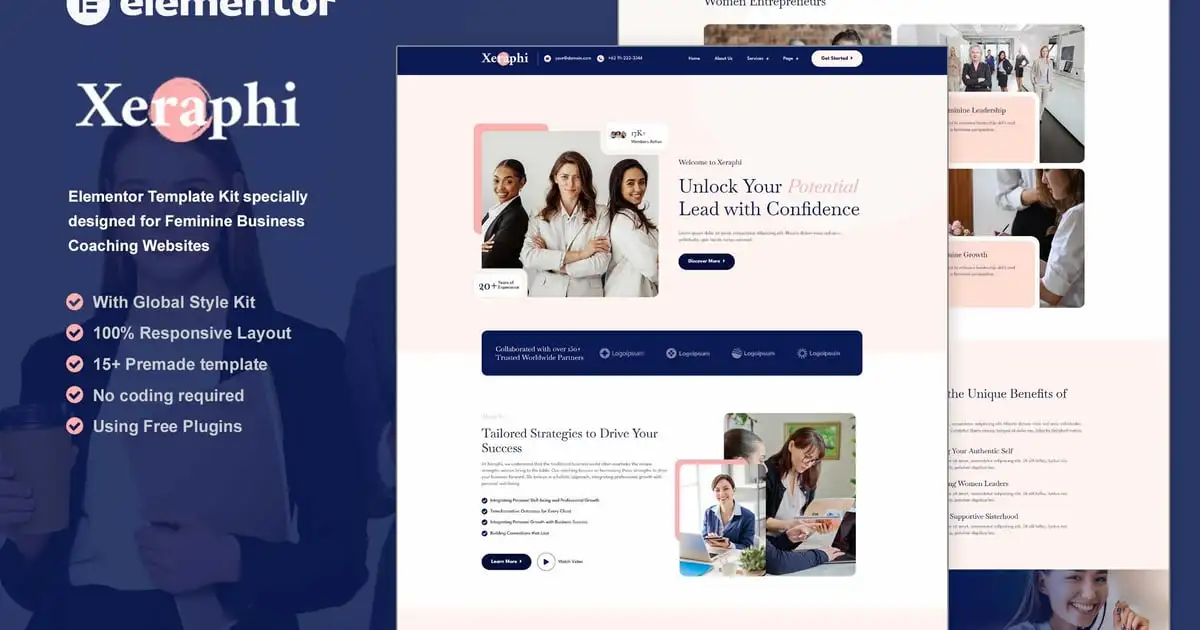
Xeraphi is an Elementor Template Kit specially designed for Feminine Business Coaching websites!
The template kit comes with an ideal selection of templates for auto coach, business, consulting, health coach, life coach, feminine, wellnes coach, speaker, motivator, company, personal trainer, digital, service. This kit has a modern and unique design with a 100% fully responsive layout, easy installation, and sure very easy to customize because using Elementor so you don’t need a single line of coding!Save your time.
This Template Kit contains page content for creating Elementor pages. This kit has been optimized for use with the free “Hello Elementor” theme.
Features :
- Compatible with WordPress – Elementor
- Using Free Plugins (Elementor Pro is not required)
- True no-code customization with drag and drop
- 100% Fully Responsive & mobile-friendly
- Modern and Professional design
- 15+ pre-built templates ready to use
- Customize fonts and colors in one place (Global Theme Kit Style)
Templates in Zip :
- Homepage
- About Us
- Our Team
- Service
- Service Detail
- Appointment
- Pricing Plan
- 404 Error
- Our Blog
- Single Post
- Contact Us
- Contact Form
- Subscribe Form
- Header
- Footer
Required Plugins :
- Elementor
- RomethemeForm
- RomethemeKit
How to Use Template Kits:
This is not a WordPress Theme. Template kits contain the design data for Elementor only and are installed using the envato Elements plugin for WordPress or directly through Elementor.
Elementor Template Kits use the Envato Elements plugin to install.
Detailed Guide:
- https://help.elements.envato.com/hc/en-us/articles/36032349441945-How-to-Install-Elementor-Template-Kits-With-the-Envato-Elements-Plugin-in-WordPress-for-Envato-Elements-Subscribers
https://help.market.envato.com/hc/en-us/articles/36033428836889-How-to-Upload-Install-Elementor-Template-Kits-from-Themeforest-to-WordPress
For further support, go to Elementor > Get Help in WordPress menu.
Setup Global Header and Footer in RomethemeKit
- Import the header and footer blocks from Template-Kit.
- Go to “RomethemeKit” > Theme builder > and Click Add New.
- On the “General” options, Title the header, choose the option Type, and toggle Activation to On.
- On the “Condition” options, select Entire Site, and Click Save Changes.
- On the table of theme builder, choose your header made, and click “Edit with Elementor”.
- On the Elementor canvas, Click the gray folder icon to access the “My Templates tab” and then select the block of Header to import with Click Insert.
- Next, you can customize the header by setting the widget as you like or just leave by default.
- Repeat for Footer
Setup Forms in RomethemeForm:
- Import the form blocks from Template-Kit.
- Go to “RomethemeForm” > Forms > and Click Add New.
- Enter a “Form Name” and then Click “Save and Edit”
- On the RomethemeForm canvas, Click the gray folder icon to access “My Templates tab” and then choose the block of Forms with Click Insert then Click Save & Exit.
- Next, open and edit your template (for example Contact Page), then Click the widget RomethemeForm on the template, and Select the form you like or made to show the form on the template.
Images
This Template Kit uses demo images from Envato Elements. You will need to license these images from Envato Elements to use them on your website, or you can substitute them with your own.
- https://elements.envato.com/collections/5Z7VGSCUMH