WooCommerce Quote
150.000₫
Description
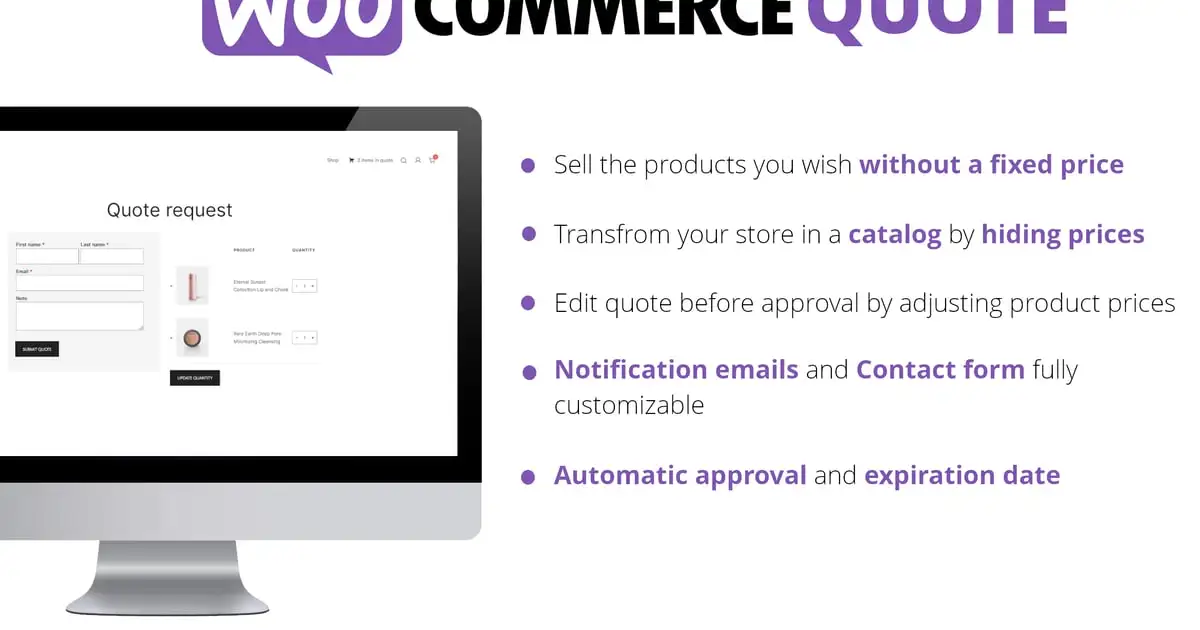
The WooCommerce Quote plugin seamlessly integrates into your WooCommerce system allowing your customers to add products to a quote basket and ask for price estimation.
Quote statuses and Workflow
Quotes can have the following statuses:
- New quote:Once the customer submits a quote, the plugin will create an order marking it as a “New quote”.
- On hold quote: You can “pause” the quote for later processing. On hold, quotes won’t expire and won’t automatically be accepted (if you enable the special option).
- Accepted quote: When a quote is marked as “Accepted”, the user will be notified via an email notification (text customizable via the Emails menu). The customer can pay the order via the My Account -> Quotes -> View quote page.
The accepted quote can expire according to the expiring date the admin can set automatically via the Settings menu or via the specific date he can set for the quote via the admin Quotes -> Edit quote page. - Rejected quote: The admin can reject the quote. The user will be notified via an email notification (text customizable via the Emails menu).
- Rejected quote by the customer: Once the quote is accepted, the customer can eventually reject the quote. In this case, the admin will be notified via email (text customizable via the Emails menu).
- Expired quote: Automatically set if the quote passes the expiration date.
Edit the product prices and add shipping fees, extra costs, or coupon codes to the quote
Before sending the quote, you can edit the product prices, add shipping fees, and some extra costs and apply a discount code to the quote.
Contact form
You can customize the contact form the customer has to fill out before placing the quote. You can create different field type like:
- Text
- Textarea
- Date
- Time
- Select/Multiselect
- Country & State
- Acceptance
Each field can be styled by setting its width and can be made mandatory. Each field can also be connected to the order native fields (like billing first name, last name, etc).
Email notifications
The plugin will notify the customer when a quote changes the status or remind a quote is expiring. You can customize the text of those emails via the Emails menu.
Expire & Approval
You can set the quotes to be automatically approved (only if marked as New quote) and set an automatic expiration period (only if marked as Accepted quote). For example, you can set a quote to expire 1 day after the quote has been placed. These features consider the date the quote has been placed
Custom quote message
The admin can set a custom message via the admin edit quote page that will be displayed in the frontend View quote page and the notification emails.
Add to cart
You can enable the option to allow the customers to add quotable products to the cart.
Template
Templates files used for email notification and for the quote area can be found in the templates folder. They can be copied into the theme folder (for example: {theme_folder}/woocommerce-quote/frontend/ or {theme_folder}/woocommerce-quote/emails) and customized.
WPML
The plugin supports the WPML translation plugin. You will then be able to customize and translate texts through the special Text menu.