Description
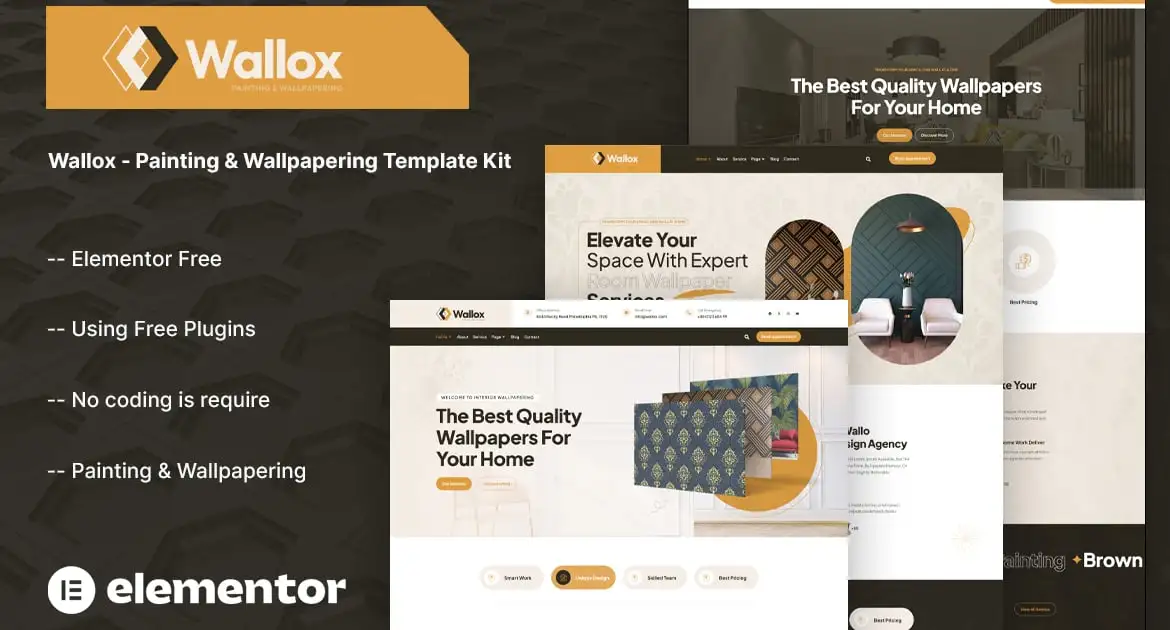
Wallox – is a professionally designed template kit, specially crafted for businesses offering painting, wallpapering, and interior decoration services. With its clean, modern, and highly customizable design, Wallox allows you to build a professional website quickly and easily — no coding skills required. This template kit includes all essential pages such as: About Us, Services, Completed Projects, Team Members, Pricing Plans, Blog, and Contact Page. Fully compatible with Elementor — the leading page builder for WordPress — Wallox lets you effortlessly drag and drop to customize your content to perfectly suit your needs.
This is a Template Kit that uses Elementor to create pages, it’s used with Theme Hello. All are free. User-friendly interface and powerful customizations, so you can easily tailor it to your brand and services
### Kit Key Features:
- 03 Unique Home Pages
- No Coding Knowledge Needed
- Fully with Elementor free version ( Elementor Pro is not required )
- Header & Footer Builder Included
- Unique and Modern Style.
- Super Clear and Clean Layout
- Cross browser compatible
- Post Widget
- Carousel Slide Box ( Create sliders with anything )
- Ultra Responsive and Retina Ready
- Compatible with most WordPress themes
- Optimized for search engines
### Plugins installed with kit :
- Themesflat Addons For Elementor
- The Plus Addons for Elementor
### How to Use Template Kits:
This is not a WordPress Theme. Template kits contain the design data for Elementor only and are installed using the envato Elements plugin for WordPress or directly through Elementor.
Elementor Template Kits use the Envato Elements plugin to install.
Detailed Guide:
https://help.market.envato.com/hc/en-us/articles/36033428836889-How-to-Upload-Install-Elementor-Template-Kits-from-Themeforest-to-WordPress
For further support, go to Elementor > Get Help in WordPress menu.
How to Setup Slides & Tabs
1.Import the slide/tab block.You may import more than once and find copies under Templates > Saved Templates to customize.
2.Import the template where the slides/tabs appear.
3.Right click the page to open the Navigator and locate the Carousel or Tabs widget
4.Select the slide or tab template from the dropdowns on the general tab of the element options.
Setup Global Header and Footer
If you have Elementor Pro, setup headers and footers in Theme Builder. Pages you create with Elementor must have the Page Layout set to Elementor Full width for the global header and footer to appear.
- Go to TF Header Footer and click Add New button
- Give it a title and select Header, Display on Entire Website and click Publish
- Click Edit with Elementor
- Click the gray folder icon to access My Templates tab and select the header template to import and Update.
5 Repeat for Footer
### Images:
This Template Kit uses demo images from Envato Elements. You will need to license these images from Envato Elements to use them on your website, or you can substitute them with your own.
- https://elements.envato.com/collections/9N7MLHDPWK