
Description
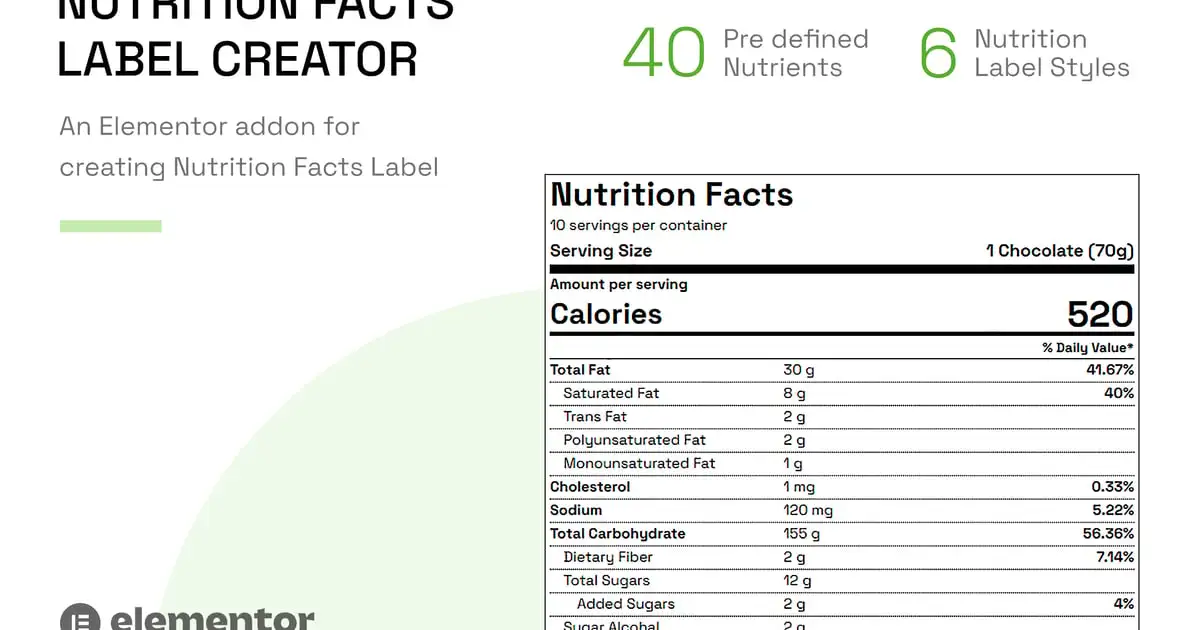
An Elementor addon for creating Nutrition Fact Labels for your online food products, recipes and food blog.
The plugin helps you add Nutrients from pre defined set of 40 nutrients like protein vitamin, fat, sugars, zinc, magnesium, calcium, etc. The percent daily values are automatically calculated from the provided nutritional value. The plugin also supports addition of unlimited custom nutrients via easy drag and drop interface.
### This plugin is an addon for [Elementor Website Builder](https://wordpress.org/plugins/elementor/), and supports both the free and pro version of Elementor.
### Key Features
- Fully responsive and retina ready
- Table less design, created using lists
- The plugin comes shipped as an Elementor Addon
- 6 Nutrition label design styles (Standard FDA style table included)
- 40 pre defined food components (nutrients) with respective standard values
– The reference for standard daily values (DVs) are taken from [Wikipedia](https://en.wikipedia.org/wiki/Reference_Daily_Intake) - Unlimited custom nutrients for the Nutrition Table
– Specify custom Nutrient name, standard reference value, unit and daily value
– Specify nutrient as sub-level up to 3 indent levels – Auto calculation of %DV from provided daily value and standard reference value - Auto calculation of percent daily values from standard values and user supplied values
- Standard daily values listing option
- Works with any post type for which Elementor is enabled. E.g. you can use it in WooCommerce product description when selling a food product.
- 100% Translation ready. (Sample POT template file included)
- Supports languages with right-to-left orientation. (RTL CSS included)
- Nutrition table template file can be overridden in the theme
- Supports WordPress filters for changing standard daily values of a Nutrient
- Schema micro data supported for known nutrients as per schema.org specification
- Clean and optimized code
- Supported on all modern browsers
- W3C valid HTML markup for Nutrition table output
- Professional dedicated support
### Installation
For installation and setup, please refer to the [online documentation](https://intothedesign.com/docs/nflc-el/).
### Changelog
= 1.0.0 =
- initial release