
Description
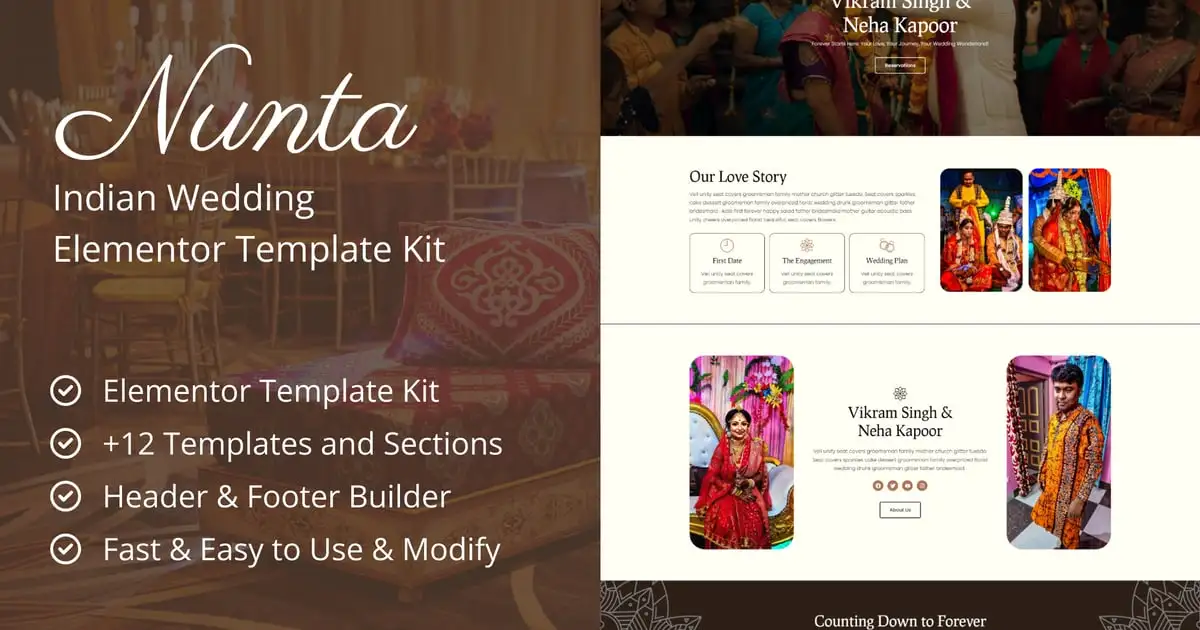
Nunta: Transform your online presence in the world of Indian weddings using our Elementor Template Kit – where tradition meets modernity for a breathtaking digital showcase. Enhance your ceremonies with Nunta, the ultimate Indian Wedding Elementor Template Kit. Specifically crafted for Elementor, it effortlessly turns your website into a mesmerizing portrayal of your cultural richness and celebratory style.
### Features List:
- Modern & Professional Design
- No Coding Required
- Customizable Color Schemes
- Fully Responsive Layout
- Elementor Compatibility
### Pages & Sections:
- Home 1
- Home 2
- About Us
- Wedding Plan
- Blog
- Single Article
- Our Services
- Single Member
- Pricing Plans
- Contact Us
- 404 Page Not Found
- Footer
- Header
- Contact Form
- Home Form
- Footer Form
### Required Plugins:
- Elementor
- ElementsKit Lite
- Elementor Header & Footer Builder
- MetForm
- Qi Addons For Elementor
### How to Use Template Kits:
- Install and Activate the “Template Kit Import” plugin from Plugins (Or you can use “Envato Elements WordPress Plugin”)
- Download your Template Kit File (Do not unzip the file).
- Go to Tools > Template Kit > Upload Template Kit ZIP File (Or simply drag & drop your zip file).
- Click on the orange banner to install required plugins.
- Click import on the Global Kit Styles.
- Click import on your desired template at a time.
- Go to Pages and create a new page and click Edit with Elementor.
- Click the folder icon to access My Templates tab and then Import the page you’d like to customize.
Detailed Guide: [https://help.market.envato.com/hc/en-us/articles/900000842846-How-to-use-the-Envato-Elements-WordPress-Plugin-v2-0
### How to Use Add Header/Footer
- After You Imported Our Templates > Dashboard > Appearance > Elementor Header & Footer Builder
- Add New > Select: Header/Footer > Display On: Entire Website > User Roles: All
- Edit With Elementor
- Click on Folder Icon > My Templates > Select Header/Footer
### How to Use MetForm
- After You Imported Our Templates > Add MetForm Shortcode
- Edit Form > New Form > Blank Template
- Click on Folder Icon > My Templates > Select Contact Form Section
### Images
This Template Kit uses demo images from Envato Elements. You will need to license these images from Envato Elements to use them on your website, or you can substitute them with your own.
- https://elements.envato.com/collections/UQ3H9XDKME