Description
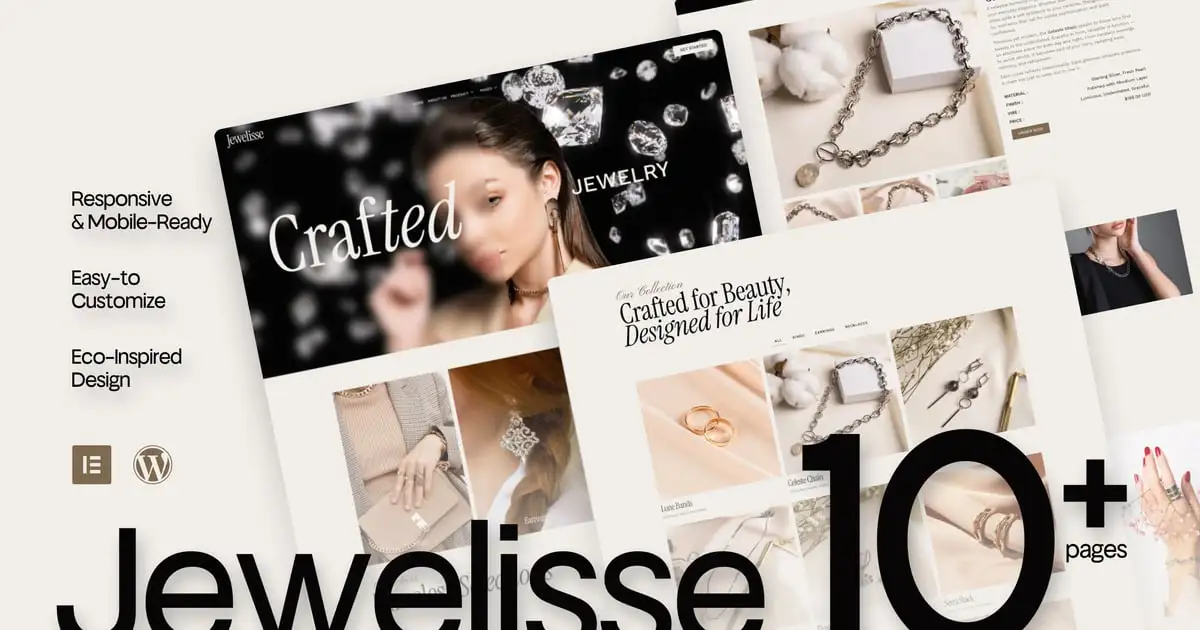
Jewelisse is an editorial-inspired Elementor template kit designed for jewelry brands, luxury labels, and beauty creators who crave modern sophistication with a visual heartbeat.
With sharp layouts, graceful whitespace, and typography that speaks in soft boldness — Veloura feels like a glossy magazine cover turned digital. Whether you’re launching a fine jewelry line or curating a fashion-forward beauty brand, this kit is your runway-ready canvas.
Responsive, mobile-friendly, and powered by Elementor Free, Veloura is elegance with edge — and clarity with class. Perfect for those who believe that design, like jewelry, should be worn with intention.
Features Specification:
- Built with Elementor Free (no pro plugin needed)
- Fully responsive & mobile-first design
- Lightweight and fast-loading performance
- Designed for jewelry, fashion, and luxury beauty brands
- Modern editorial-style layouts with elegant typography
- Custom sections for lookbooks, collections, and product features
- Easy customization — no coding required
- Includes contact, about, shop preview & brand story pages
- Clean UI with high visual impact
- Lovingly crafted in Casloop style
Pages Included:
- Home
- About Us
- Product
- Product Detail
- Pricing
- FAQs
- Team
- Gallery
- 404 Page
- Thank You
- Contact Us
Blocks Included:
- Header
- Footer
Included Plugins:
- Elementor
- Jeg Elementor Kit
- Met Form
- Elements Kit
### How to Use Template Kits:
This is not a WordPress Theme. Template kits contain the design data for Elementor only and are installed using the envato Template Kit Import plugin for WordPress or directly through Elementor.
Detailed Guide:
https://help.market.envato.com/hc/en-us/articles/36033428836889-How-to-Upload-Install-Elementor-Template-Kits-from-Themeforest-to-WordPress
For further support, go to Elementor > Get Help in WordPress menu.
How to setup header in Jeg Elementor Kit plugin
If you have Elementor Pro, headers and footers may be customized under Theme Builder.
- Go to Jeg Elementor Kit menu item > Header Template
- Click Add New Header
- Add condition > All Site and click Create
- Click the pencil icon to Edit and elementor will appear
- Click gray folder icon to access My Templates tab
- Insert the header template.
- Customize and Save.
How to Import Metforms
If you have Elementor Pro, skip install of Metform and form blocks.
- Import the metform block templates
- Import the page template where the form appears and right-click to enable the Navigator
- Locate and select the Metform widget and click Edit Form. Choose New, then Edit Form. The builder will appear
- Click ‘Add Template’ grey folder icon.
- Click ‘My Templates’ tab.
- Choose your imported metform template, then click ‘Insert’ (click No for page settings).
- Once the template is loaded, make any desired customizations and click ‘Update & Close’ The form will appear in the template
- Click Update
Images This Template Kit uses demo images from Envato Elements. You will need to license these images from Envato Elements to use them on your website, or you can substitute them with your own. Blog Content is not included – you will need to add a few posts to WordPress before post content will appear in templates. :
- https://elements.envato.com/collections/5PU7LAY9XZ