IDP Form Logic – Smart Polls & Multi-Step Surveys Builder for WordPress WordPress Plugin
XEM DEMO WEB179.000₫
IDP Form Logic
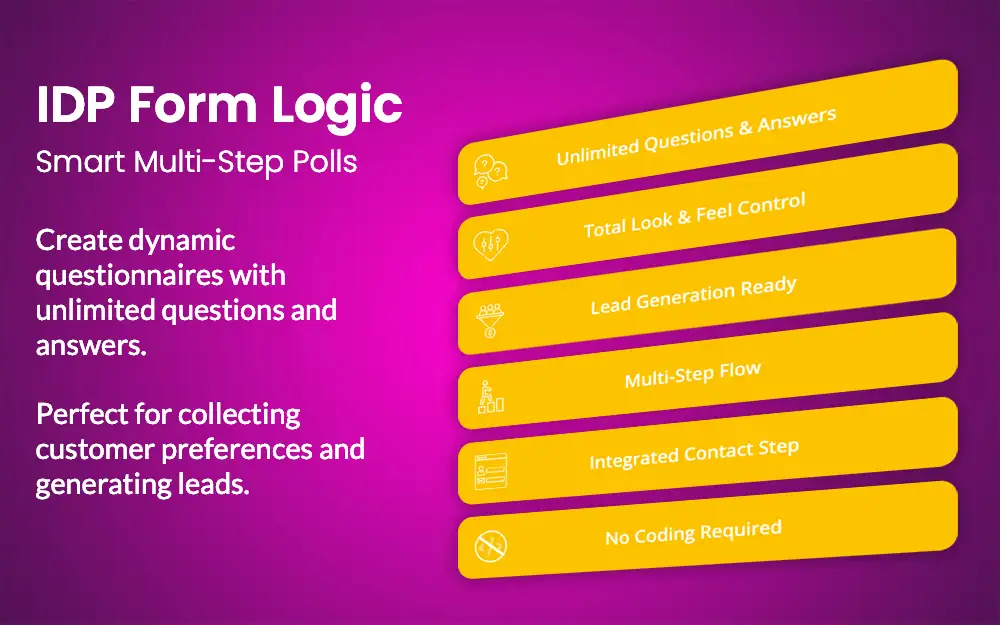
This plugin is a user-friendly WordPress plugin designed to help you create interactive polls and multi-step surveys directly on your website. Instead of redirecting users to third-party platforms, you can now gather feedback, opinions, or data without leaving your site. The plugin lets you build fully customizable forms with unlimited questions and answer options, one step at a time. Results are sent straight to your email, so you can respond quickly or store them for later use. It’s ideal for collecting feedback, conducting research, running opinion polls, or improving customer engagement. With responsive design, easy styling options, and shortcode support, IDP Form Logic works seamlessly with any WordPress theme.
With IDP Form Logic, you can:
- Create unlimited polls and surveys using shortcodes – place them anywhere on your site.
- Add as many questions as you need – there are absolutely no limits.
- Offer unlimited answer options – you’re fully in control.
- Match the design to your website – by customizing colors and font sizes.
- Receive all responses via email – sent to any address you choose.
Functionality features
You can browse the Screenshots section for a quick overview. A detailed breakdown is provided below.
Polls, Questions & Answers
Polls
Polls are created using a unique name – this helps you easily distinguish one from another later on. You can rename any poll at any time by clicking the “Change Title” button in the Polls list.
Questions
Once you’ve created a poll, you can start adding questions. Each question consists of:
- Question Title
- Question Subtitle
- Order – the position in which the question will appear in the poll
Answers
pAnswers are added in the same panel as the questions. For each answer you can define:/p
- Answer Text
- Answer Icon (optional)
- Order – you can rearrange the order later if needed
Styles – Appearance Customization
Customization options are divided into two main sections: Form and Questions & Answers
Form
You can control the width of your poll for different devices:
- Desktop (px)
- Tablet (px)
- Mobile (%)
You can also customize the appearance of the progress bar
- Progress Bar Text Color
- Progress Bar Background
- Progress Bar Color
- Progress Bar Height
- Contact Form Label Color (for the final step of the poll)
Questions & Answers
This section includes more advanced visual customization options:
- Question Title Color
- Question Title Font Size
- Question Subtitle Color
- Question Subtitle Font Size
- Answer Text Color
- Answer Font Size
- Answers Background Color
- Answers Middle Color
- Answer Active Background Color
- Answer Active Middle Background Color
- Answer Active Border
- Back Button Text Color
- Back Button Background Color
- Send Button Text Color
- Send Button Background Color
Settings
This section is divided into four sections: General, Form, Messages and Advanced
General
- Send Form To – Email address where form submissions will be sent.
- Contact Information Required – If checked, all contact fields will be required. If unchecked, only Name and Email fields will be required.
- Anonymous Poll – If enabled, only Name and Message fields will be shown as optional. Contact information settings above will be ignored.
- GDPR Consent Text – Text for the GDPR consent checkbox. Leave empty to disable.
Form
- Progress Button Text
- Previous Button Text
- Submit Button Text
Messages
- Success Message
- Error Message
- Button Home Text
Advanced:
- Uninstall Behavior – Keep or delete the plugin data when uninstalling ?