
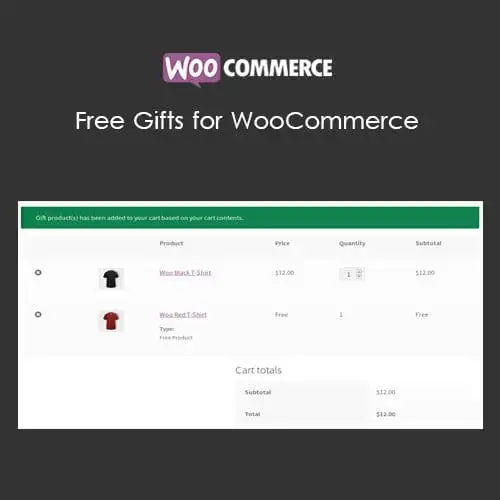
Free Gifts for WooCommerce
XEM DEMO WEB80.000₫
Offer Free Gifts to your customers for making purchases in your WooCommerce Shop.
Extensive Feature List
1. Admin can manually send Gift Product(s) to customers using two modes
- Using plugin’s settings
- Using Manual Order creation or Modification
2. Free Gift Product(s) can be awarded in the following modes for making purchases,
- Manual Gifts
- Automatic Gifts
- Buy X and Get Y(Automatic and Manual)
- Coupon-based Free Gifts(Automatic and Manual)
- Total-based Free Gifts(Automatic and Manual)
- Bulk Pricing Based Free Gifts(Automatic and Manual)
- Bulk Pricing Based Free Gifts(Automatic and Manual)
- Cheapest Cart Based Free Gifts(Automatic and Manual)
3. Multiple rules can be configured to award the Free Gift Product(s).
4. Free Gift Product(s) can be awarded based on the following Criteria values,
- Cart Sub-Total
- Cart Order Total
- Category Total
- Sub-Category Total
- Brand Total [Compatible with WooCommerce Brands]- Total Points Earned [Compatible with WooCommerce Points and Rewards]
- Cart Quantity
- Number of Product(s) in the cart
- Minimum Quantity of the Product(s) that is purchased from the Selected Categories
5. Awarding Free Gift Product(s) can be restricted using the following options,
- Based on Validity
- Based on the particular Days of the Week
- Based on the Maximum Gifts from the rule
- Based on the Number of Order(s) that the rule can be applied
- Based on the Number of Order(s) per User[applicable for Logged-in Users only]
- Based on the Number of Order(s) that the user purchased previously[applicable for Logged-in Users only]
- Base on the Coupon Code discount is applied
6. Product, Category, Brands[WooCommerce Brands] and User filters supported to award the Free Gift Product.
7. Customer(s) can be notified about their eligibility to get the Free Gift Product(s) using the Eligibility Notice.
8. Shipping Cost for the Free Gift Product(s) can be charged.
9. Option to hide the Gift Product(s) in the shop and category page(s).
10. Option to allow multiple quantities of the same product to be selected as a Free Gift product.
11. Option to allow the user to remove the automatically added Gift Product(s).
12. Free Gift Product(s) can be restricted in the following ways if the WooCommerce coupon discount is already applied to the cart.
- Globally[Applicable for all Rules]
- Individual Rule Level[Overrides the Global configuration]
13. Customer(s) can select their awarded Gift Product(s) in the checkout page.
14. The following modes are supported to display the eligible Gift Product(s),
- Inline
- Popup
15. The following display types are supported to display the eligible Gift Product(s),
- Table
- Carousel
- Drop-down
16. Short-code based Gift Product display supported for Manual Gift Mode
17. Progress Bar display supported to notify about the eligible, added and remaining Gift Product count [Applicable only for the Gift Product(s) which is manually selected by the customer].
18. Admin can customize the frontend labels and messages using Localization and Messages settings.
19. REST API support for Free Gift Rule(s).
20. Email to notify about the Free Gift Product(s) which is manually awarded by the site admin.
21. Master Log to display the added Gift Product(s) entries in the respective order.
22. Option to Delete the Master Log entries after specific duration configured in the settings.
23. Option to Delete the Master Log entries after a specific duration configured in the settings.