
Folder Fox – Media Folders And Search For WordPress WordPress Plugin
179.000₫
ONE CLICK INSTALL
If you manage a WordPress website, you must have uploaded thousands of different media files such as images, videos, audios, PDF, txt, and docx, which can become very frustrating since they are all scattered and unorganized.
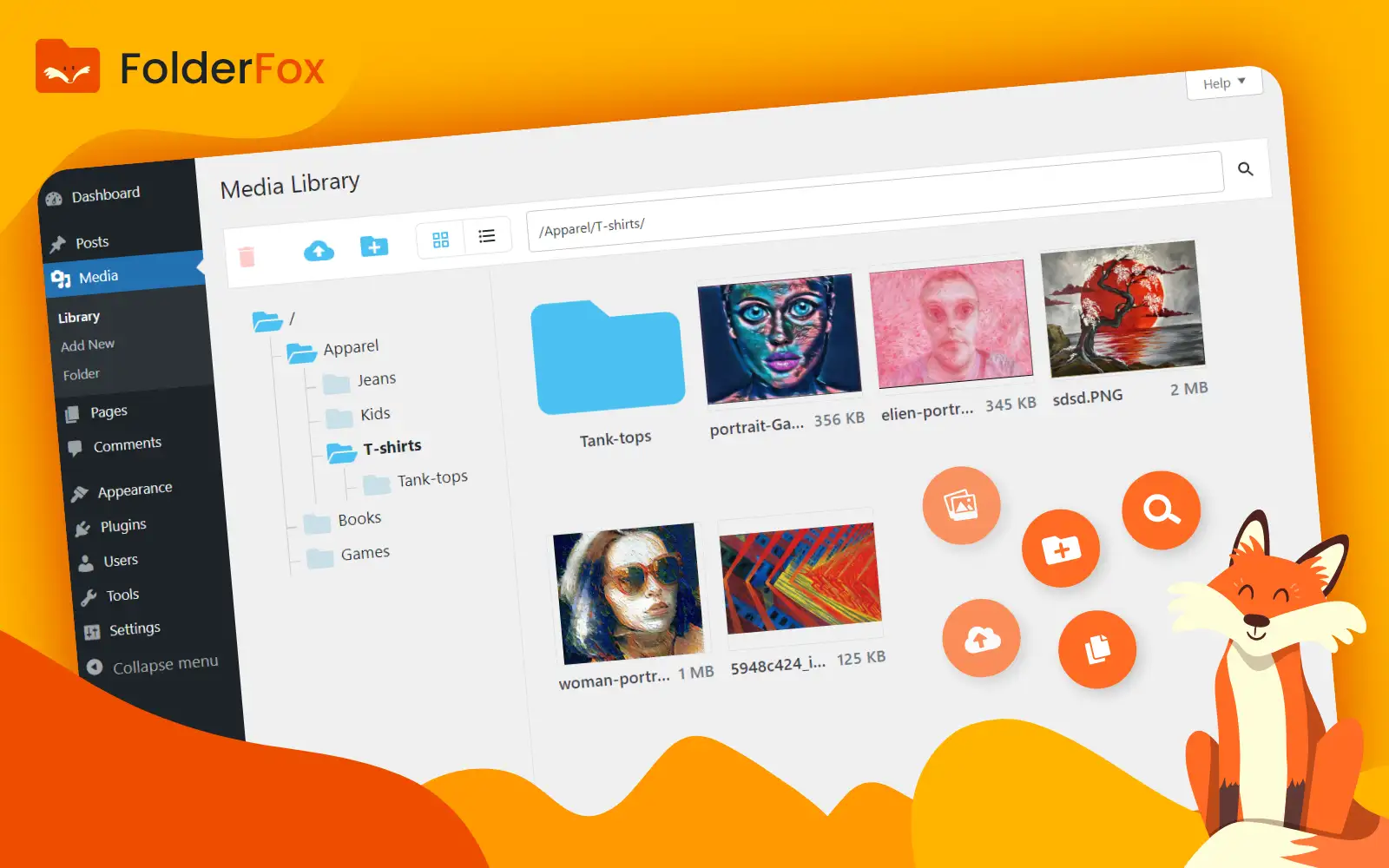
Wish you could organize your WordPress files and folders easily? Introducing FolderFox – media folders & search plugin for WordPress.
Easily organize, search, move, rename, delete or upload new files and folders as if you were using your familiar pc file browser.
INSTALLATION
- Upload FolderFox plugin zip file via your WordPress admin panel
- Install and activate FolderFox plugin.
- You can now navigate to your WordPress admin “Media” tab to view your file browser
- Initially all your existing files will be found under your root media folder, start creating folders and organize your files.
- No configuration or modifications are required, simply install and activate FolderFox plugin.
TOP FEATURES
DRAG & DROP UI
Easily move files and folders by dragging them.
FOLDER TREE
The desktop folder tree you know and love to help you navigate between folders faster
DISPLAY OPTIONS
Switch between Grid & list view to match your requirements
DESKTOP LIKE FILE BROWSER
Organize your files and folders just like you do on your desktop.
BROWSER AUTOCOMPLETE
Get folder suggestions while typing to save time
EASY SEARCH
Find your files faster by searching files in a specific folder or globally
SPECIFIC FOLDER UPLOAD
Drag files to upload to upload them to the current folder in view
PAINLESS MIGRATION
Just download and install the plugin, no need for extra configurations. All your existing files will initially appear under the root folder, start creating folders and organizing them
EASY DELETE
Multi select files and folders to delete them permanently.
VERSATILE COMPATIBILITY
FolderFox is compatible with all popular themes, page builders and other 3rd parties like WooCommerce, WPML, WPBakery, Elementor, Gutenberg, Beaver Builder, Divi, Thrive Architect, Slider Revolution, Smush, etc.
MULTISITE COMPATIBILITY
Works out of the box with multisite installation, each site has its own media folder management.