Theme WordPress dịch vụ vay tiền 02 Giá gốc là: 850.000₫.650.000₫Giá hiện tại là: 650.000₫.

Advanced Custom Fields for WooCommerce Giá gốc là: 100.000₫.80.000₫Giá hiện tại là: 80.000₫.
Mô tả
Description
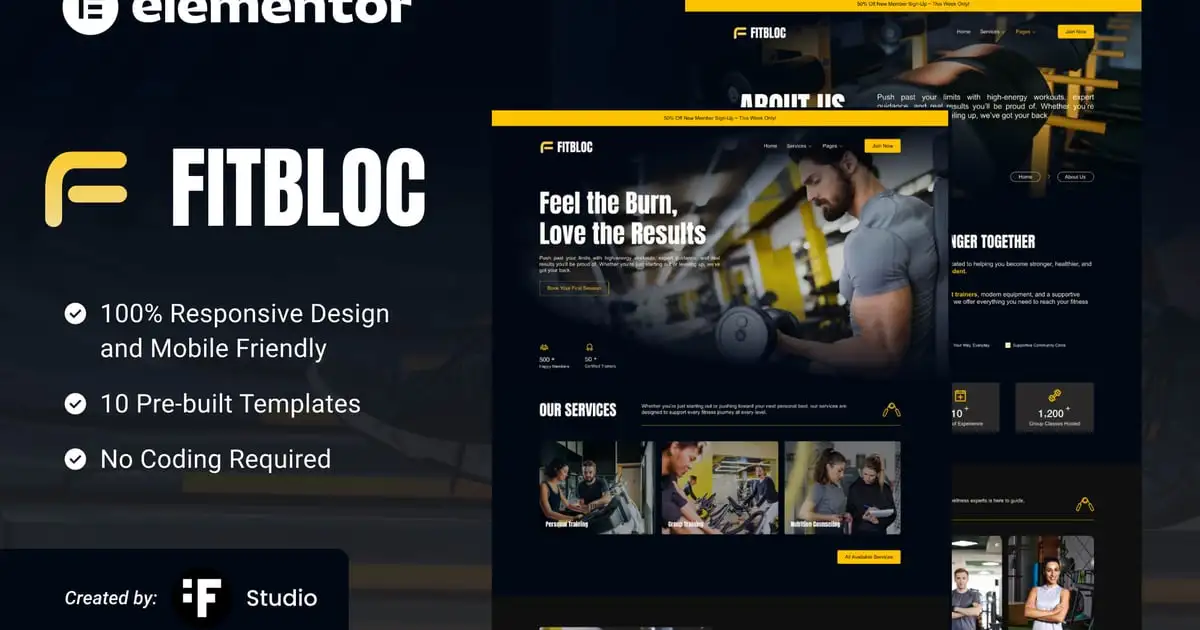
Fitbloc is a sleek, high-performance Elementor template kit built specifically for fitness centers, personal trainers, and wellness studios. Featuring a modern design and clean layout, Fitbloc makes it easy to showcase services, attract new members, and grow your brand with confidence.
This kit includes all the essential pages your site needs: Home, About Us, Services Overview, Service Details, Pricing Plans, Classes, Blog, Single Blog, Contact Us, and 404.
### Features
- True no-code customization with drag and drop visual builder
- Customize fonts and colors in one place or fine-tune on individual elements
- Modern, professional design
- Fast-loading
- Works with most Elementor themes.
### Included Templates
- Home
- About Us
- Services Overview
- Service Details
- Pricing Plans
- Classes
- Blog
- Single Blog
- Contact Us
- 404 Page
—
### Fonts Used
- Anton
- Arial
### Plugins installed with kit:
- Elementor
- ElementsKit Lite
- MetForm
- Jeg Elementor Kit –
### How to Use Template Kits:
This is not a WordPress Theme. Template kits contain the design data for Elementor only and are installed using the envato Elements plugin for WordPress or directly through Elementor.
Elementor Template Kits use the Envato Elements plugin to install.
Detailed Guide:
https://help.elements.envato.com/hc/en-us/articles/36032349441945-How-to-Install-Elementor-Template-Kits-With-the-Envato-Elements-Plugin-in-WordPress-for-Envato-Elements-Subscribers
For further support, go to Elementor > Get Help in WordPress menu.
How to setup header in Jeg Elementor Kit plugin
If you have Elementor Pro, setup headers and footers in Theme Builder. Pages you create with Elementor must have the Page Layout set to Elementor Full width for the global header and footer to appear.
- Go to Jeg Elementor Kit menu item > Header Template
- Click Add New Header
- Add condition > All Site and click Create
- Click the pencil icon to Edit and elementor will appear
- Click gray folder icon to access My Templates tab
- Insert the header template.
- Customize and Save.
How to Import Metform Custom Forms
- Import the Metform template.
- Import the page/template where the form appears and open it in Elementor.
- Click on the Metform widget area > Edit Form.
- Select New, keep it blank, and click Edit Form again.
- Click the gray folder icon > go to My Templates.
- Choose the imported Metform template and click Insert.
- Once loaded, click Update.
### Image Licensing
This kit uses demo images from Envato Elements. To use these images on your live site, you must license them from Envato, or replace them with your own.
Demo image collection:
- https://elements.envato.com/collections/RBSYU9XW2M
Có thể bạn quan tâm
Thông tin thanh toán


Đăng ký theo dõi
Đăng nhập
Cũ hơn