Description
Enervia – Green Energy Elementor Template Kit
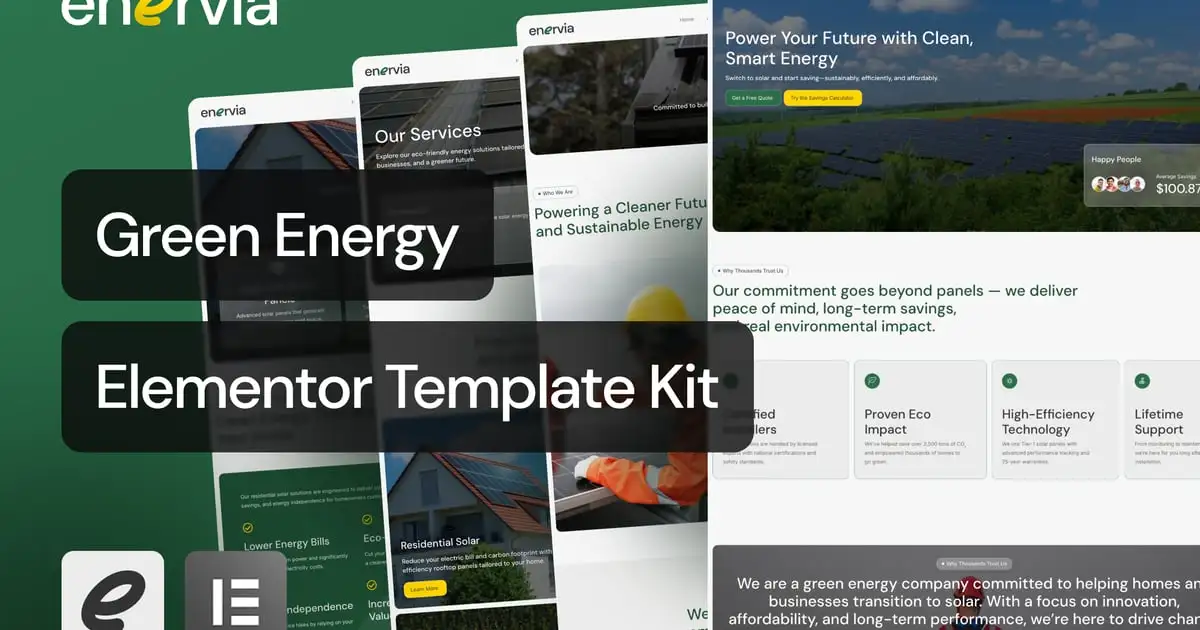
Enervia is a clean and modern Elementor Template Kit built specifically for green energy providers, solar panel installers, eco-consulting firms, and sustainability-focused businesses. With a sleek and trustworthy interface, this kit empowers your brand to build credibility, communicate impact, and drive eco-conscious conversions.
Ideal for organizations looking to highlight their environmental efforts, educate clients, and offer services with a professional yet human tone. Enervia solves the common web design challenge of balancing informative content with visual clarity and trust.
Features
- Clean, Modern & Sustainable Design
- Optimized for Solar and Green Energy Services
- Built with Elementor Free & MetForm
- Structured Content & Visual Hierarchy
- Smart Conversion-Focused Layouts
Templates Included
- Home
- About Us
- Services
- Service Detail
- How It Works
- Projects
- Pricing
- Blog
- Single Post
- Testimonials
- Contact
- 404 Page
- Header
- Footer
- Contact Form
- Appointment Form
- Newsletter Form
Required Plugins
- Elementor
- ElementsKit Lite
- Jeg Elementor Kit
- Metform
- Sticky Header Effects for Elementor
How to Use Template Kits:
This is not a WordPress Theme. Template kits contain the design data for Elementor only and are installed using the envato Elements plugin for WordPress or directly through Elementor.
Elementor Template Kits use the Envato Elements plugin to install.
Detailed Guide:
https://help.market.envato.com/hc/en-us/articles/36033428836889-How-to-Upload-Install-Elementor-Template-Kits-from-Themeforest-to-WordPress
https://help.elements.envato.com/hc/en-us/articles/36032349441945-How-to-Install-Elementor-Template-Kits-With-the-Envato-Elements-Plugin-in-WordPress-for-Envato-Elements-Subscribers
For further support, go to Elementor > Get Help in WordPress menu.
How to Import MetForm Custom Form:
- While edititing a page where a form should appear, open the Elementor navigator to locate the Metform widget.
- Click Edit Form in the builder panel.
- Select New, leave blank selected then click Edit Form button.
- Click ‘Add Template’ grey folder button.
- Click ‘My Templates’ tab.
- Choose your imported MetForm template, then click ‘Insert’.
- Once the template is loaded, click ‘Update’.
How to setup header in Jeg Elementor Kit plugin
If you have Elementor Pro, setup headers and footers in Theme Builder. Pages you create with Elementor must have the Page Layout set to Elementor Full width for the global header and footer to appear.
- Go to Jeg Elementor Kit menu item > Header Template
- Click Add New Header
- Add condition > All Site and click Create
- Click the pencil icon to Edit and elementor will appear
- Click gray folder icon to access My Templates tab
- Insert the header template.
- Customize and Save.
Image Collection
https://elements.envato.com/collections/96M2QFNX4T