Description
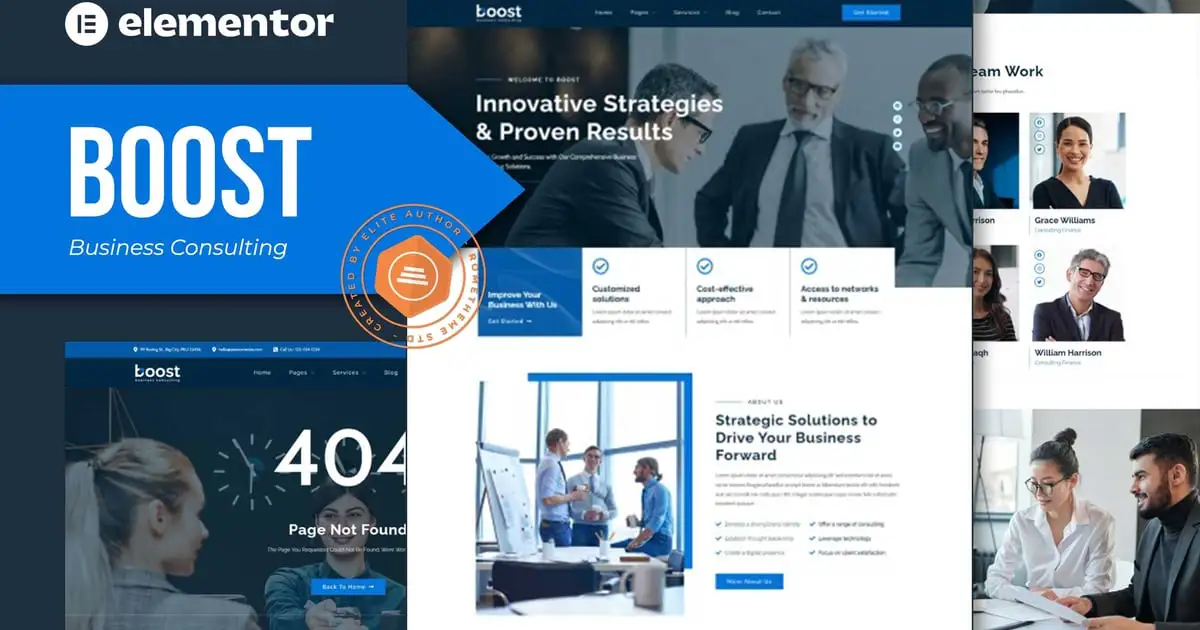
BOOST – Business Consulting Elementor Template Kit. BOOST is has 13+ pre-built templates with fully responsive, clean design and customizable theme. BOOST can be used for Business, Consulting, Corporate. BOOST as well as layouts for Business Consulting to show their cool, beautiful and amazing project.
Elementor Kit contains page content for Elementor page builder. This kit has been optimized for use with the free Hello Elementor theme but may be used with most themes that support Elementor.
Features:
- Cross-Browser Compatibility: FireFox, Safari, Chrome, IE9, IE10, IE11
- Using Free Plugins (Elementor Pro is not required)
- Fully Responsive Layout, Retina Ready, Ultra-High Resolution Graphics
- True no-code customization with drag and drop visual builder
- Customize fonts and colors in one place or fine-tune on individual elements
- 13+ pre-built templates ready to use
- A clean, modern designs which can be adapted and used for any website design and layout
Templates In Zip :
- Homepage
- About
- Services
- Service Detail
- Pricing Plan
- Team
- FAQs
- Blog
- Testimonials
- 404 Error
- Contact Us
- Header
- Footer
Required Plugins :
- Elementor
- RomethemeKit
- RomethemeForm
How to Use Template Kits:
- Install and Activate the “Envato Elements” plugin from Plugins > Add New in WordPress
- Download your kit file and Do not unzip
- Go to Elements > Installed Kits and click the Upload Template Kit button. You may also import automatically by clicking Connect Account to link your Elements subscription, then import under Elements > Template Kits.
- Check for the orange banner at the top and click Install Requirements to load any plugins the kit uses
- Click import on the Global Kit Styles first
- Click Import on one template at a time. These are stored in Elementor under Templates > Saved Templates.
- Go to Pages and create a new page and click Edit with Elementor
- Click the gear icon at lower-left of the builder to view page settings and choose Elementor Full Width and hide page title
- Click the gray folder icon to access My Templates tab and then Import the page you’d like to customize.
If you have Elementor Pro, headers and footers may be customized under Theme Builder.
Detailed Guide: https://help.market.envato.com/hc/en-us/articles/900000842846-How-to-use-the-Envato-Elements-WordPress-Plugin-v2-0
For further support, go to Elementor > Get Help in WordPress menu.
How to Setup Forms
- Import the form blocks.
- Click on RomethemeForm > Forms in the admin menu
- Click Add New
- Enter a Form Name and click Save and Edit (ignore other options)
- Click the gray folder icon in the builder area and click the My Templates tab
- Click Insert on the form block
- Click Publish/Update
- When customizing pages with forms, click the Rometheme Form Element and select the form from the drop-down
This Template Kit uses demo images from Envato Elements. You will need to license these images from Envato Elements to use them on your website, or you can substitute them with your own.
This Template Kit uses demo images from Envato Elements. You will need to license these images from Envato Elements to use them on your website, or you can substitute them with your own.
https://elements.envato.com/collections/JR5S3FXEVZ