Về trang cửa hàng

Advanced Custom Fields for WooCommerce Giá gốc là: 100.000₫.80.000₫Giá hiện tại là: 80.000₫.
Mô tả
Description
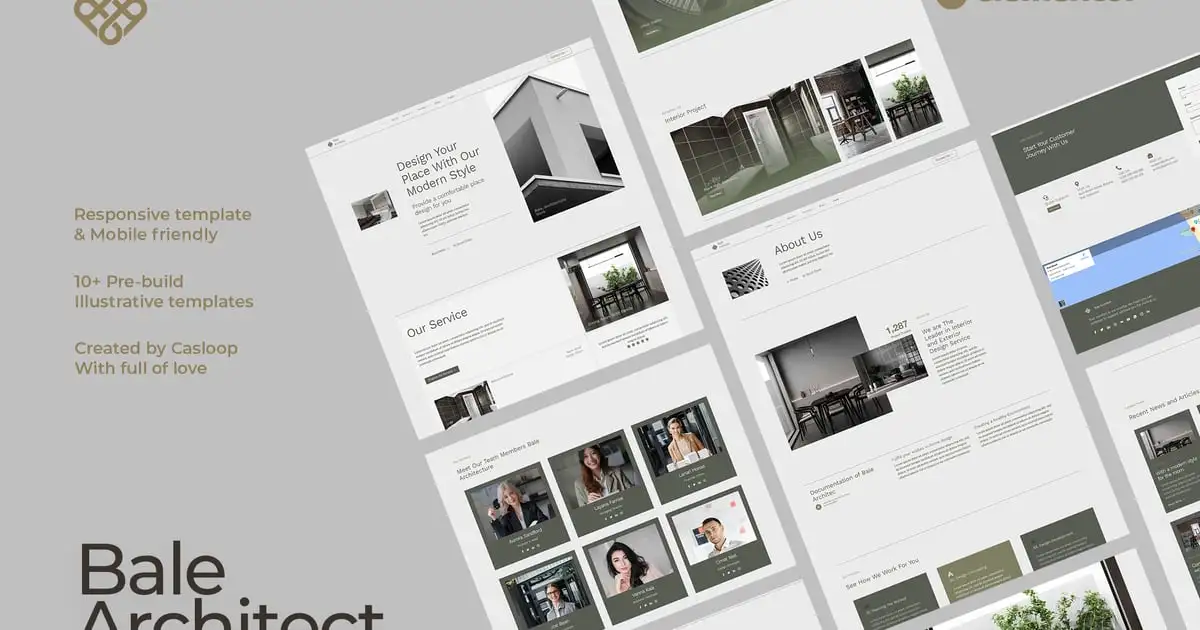
Bale is an Elementor Template Kit for architecture or interior design studios that seamlessly integrates with the lightweight Hello Elementor theme, offering a modern industrial look that captivates your audience.
Features:
Sleek Design: Modern industrial aesthetics elevate your website’s visual appeal.
Mobile-Friendly: Reach your audience effortlessly on any device.
Easy Editing: Customize your site hassle-free with Elementor Free.
Transform your online presence with Bale – where simplicity meets sophistication.
Global Style Kit:
- Home
- About
- Service Index
- Service Detail
- Portfolio Index
- Portfolio Detail
- Blog Index
- Blog Detail
- Team
- FAQ’s
- Contact
- Error 404
Block Elements:
- Block | Header
- Block | Footer
Included Plugins:
- Elementor
- Elements Kit Lite
- Jeg Elementor Kit
- Metform
How to Use Template Kits:
- Install and activate the “Envato Elements” plugin from Plugins > Add New in WordPress. No Envato Elements subscription is needed for plugin installation.
- Download your kit file and do not unzip it. If you have Safari, ensure that “open safe files after downloading” is not enabled in preferences.
- Navigate to Elements > Installed Kits and click the “Upload Template Kit” button. You can also import automatically by clicking “Connect Account” to link your Elements subscription, then import under Elements > Template Kits.
- Check for the orange banner at the top and click “Install Requirements” to load any plugins the kit uses.
- Start by importing the Global Kit Styles.
- Import individual templates one at a time, stored in Elementor under Templates > Saved Templates.
- Create a new page in Pages and edit it with Elementor.
- In the builder’s page settings, choose Elementor Full Width and hide the page title.
- Access the My Templates tab by clicking the gray folder icon and then import the page you want to customize.
- If you have Elementor Pro, customize headers and footers under Theme Builder.
For additional support, visit Elementor > Get Help in the WordPress menu.
Setting Up Global Header and Footer in ElementsKit:
- Import the header and footer templates.
- Go to ElementsKit > Header Footer and click “Add New.” If prompted with a wizard, you can click “Next” without taking any action.
- Title the header, select “Entire Site,” and toggle “Activation” to “On.”
- Load the builder by clicking the gray “Edit Content” button.
- Select the header template to import by clicking the gray folder icon, choose your menu in the nav element, and click “Update.”
- Repeat the process for the Footer.
How to Import Metforms
If you have Elementor Pro, skip install of Metform and form blocks.
- Import the metform block templates
- Import the page template where the form appears and right-click to enable the Navigator
- Locate and select the Metform widget and click Edit Form. Choose New, then Edit Form. The builder will appear
- Click ‘Add Template’ grey folder icon.
- Click ‘My Templates’ tab.
- Choose your imported metform template, then click ‘Insert’ (click No for page settings).
- Once the template is loaded, make any desired customizations and click ‘Update & Close’ The form will appear in the template
- Click Update
Notes:
This Template Kit uses demo images from Envato Elements. You will need to license these images from Envato Elements to use them on your website, or you can substitute them with your own.
https://elements.envato.com/collections/9VG2JZTCUB
Có thể bạn quan tâm


Thông tin thanh toán


Đăng ký theo dõi
Đăng nhập
Cũ hơn