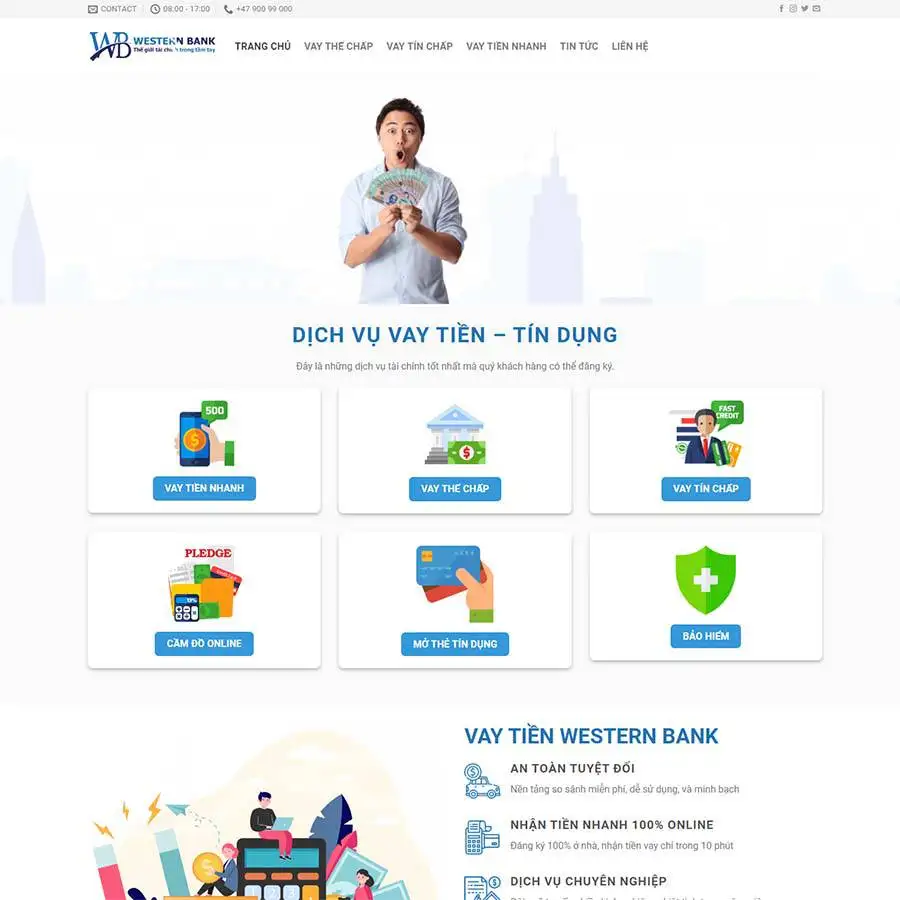
Theme WordPress dịch vụ vay tiền 02 Giá gốc là: 850.000₫.650.000₫Giá hiện tại là: 650.000₫.

Advanced Custom Fields for WooCommerce Giá gốc là: 100.000₫.80.000₫Giá hiện tại là: 80.000₫.

Auditus – Audit and Assurance Consulting Elementor Template Kit for Financial Firms
XEM DEMO WEB150.000₫
Mô tả
Description
>Auditus is a sleek and professional Elementor Template Kit built for audit, assurance, and financial consulting firms. Designed with precision and clarity, it helps firms communicate trust, regulatory expertise, and consulting value to corporate clients and stakeholders.
Ideal for internal audit firms, external assurance providers, and risk management consultants, Auditus includes all essential pages with a clean, structured layout. Built with Elementor Free and fully responsive for desktop, tablet, and mobile screens.
Key Features:
- 21+ ready to use page templates
- Easy customization with Elementor
- Optimized for SEO & lead generation
- Using Free Plugins (Elementor Pro is not required)
- Cross Browser Compatibility: Chrome, Firefox, Safari, Opera
- Built with Free Plugins No premium add ons required, making setup hassle-free.
- 100% Fully Responsive & mobile friendly
- Customize fonts and colors in one place (Global Kit Style)
- One Click Installation Import demo content easily with the Envato Elements plugin.
- Fast-loading, clean code, and cross-browser compatible.
- Elegant UI/UX structure
Templates in Zip:
- Homepage
- About Us
- Services
- Internal Audit
- External Audit
- Risk & Compliance
- Industry Solutions
- Blog
- Single Post
- Team
- Request a Consultation
- Careers
- FAQs
- 404 Error
- Coming Soon
- Header
- Footer
Required Plugins:
- Elementor
- ElementsKit Lite
- Ultimate Addons for Elementor Lite
- MetForm
- RTMKit Addons for Elementor
- Prime Slider
How to Use Template Kits:
This is not a WordPress Theme. Template kits contain the design data for Elementor only and are installed using the envato Elements plugin for WordPress or directly through Elementor.
Elementor Template Kits use the Envato Elements plugin to install.
Detailed Guide:
https://help.market.envato.com/hc/en-us/articles/36033428836889-How-to-Upload-Install-Elementor-Template-Kits-from-Themeforest-to-WordPress
For further support, go to Elementor > Get Help in WordPress menu.
How to Import MetForm Custom Form:
- While edititing a page where a form should appear, open the Elementor navigator to locate the Metform widget.
- Click Edit Form in the builder panel.
- Select New, leave blank selected then click Edit Form button.
- Click ‘Add Template’ grey folder button.
- Click ‘My Templates’ tab.
- Choose your imported MetForm template, then click ‘Insert’.
- Once the template is loaded, click ‘Update’.
Setup Global Header and Footer in UAE
If you have Elementor Pro, setup headers and footers in Theme Builder. Pages you create with Elementor must have the Page Layout set to Elementor Full width for the global header and footer to appear.
- Go to UAE > Header Footer and click Add New button
- Give it a title and select Header, Display on Entire Website and click Publish
- Click Edit with Elementor
- Click the gray folder icon to access My Templates tab and select the header template to import and Update.
5 Repeat for Footer
Images:
This Template Kit uses demo images from Envato Elements. You will need to license these images from Envato Elements to use them on your website, or you can substitute them with your own.
- https://elements.envato.com/collections/VU5ZXCFGQN
Auditus empowers audit and consulting firms to build trust online with a reliable, clean, and professional presence, no code required.
Create by: Create Big Supply
Có thể bạn quan tâm
Thông tin thanh toán


Đăng ký theo dõi
Đăng nhập
Cũ hơn