Description
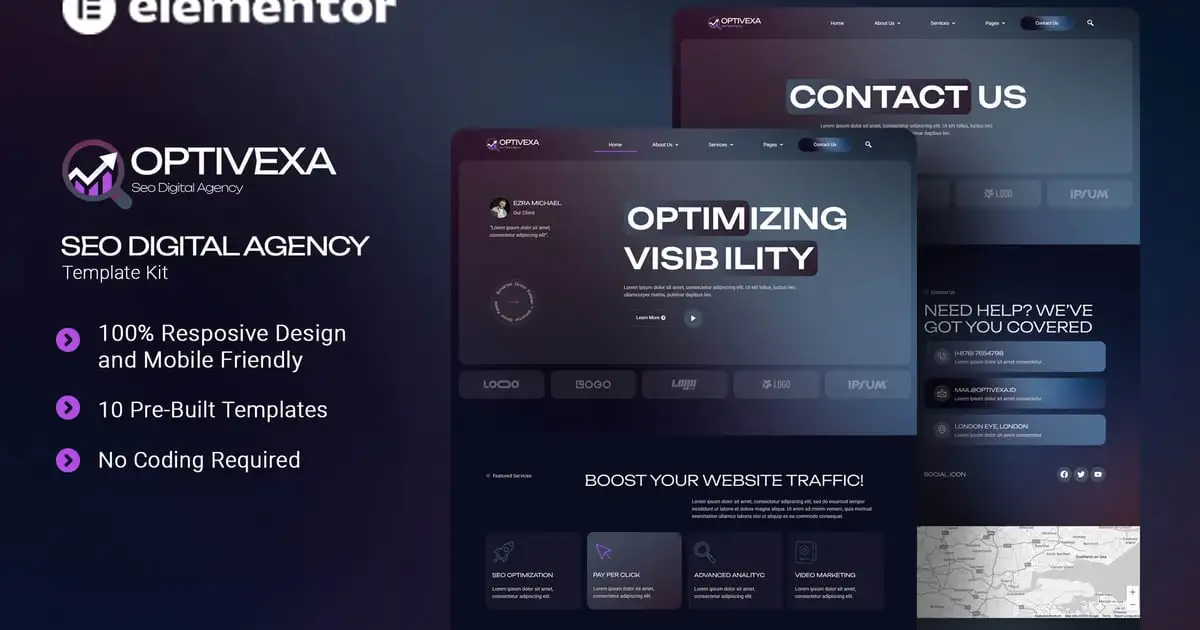
Optivexa is an Elementor Template Kit crafted for SEO digital agencies aiming to establish a strong, results-driven online presence. Ideal for SEO specialists, digital strategists, and online marketing professionals, this kit enables you to showcase optimization services, case studies, and proven performance metrics. With its clean, modern design and user-friendly layout, Optivexa helps you communicate your SEO expertise, build credibility, and attract clients looking for measurable growth and higher search engine rankings. Optivexa uses free elements, so don’t worry about trying this one. Optivexa provides various pages including Home, About Us, Team, Services, Single Services, Pricing Plan, FAQs, Blog, 404, Contact Us.
### Templates
- Home
- About Us
- Team
- Services
- Single Services
- Pricing Plan
- FAQs
- Blog
- 404
- Contact Us
### Font Used
- Unbounded
- Roboto
### Plugins installed with kit:
- Elementor
- ElementsKit Lite
- Jeg Elementor Kit
- Qi Addons For Elementor
- Metform
- Ultimate Addons for Elementor Lite
How to setup header in Jeg Elementor Kit plugin
If you have Elementor Pro, setup headers and footers in Theme Builder. Pages you create with Elementor must have the Page Layout set to Elementor Full width for the global header and footer to appear.
- Go to Jeg Elementor Kit menu item > Header Template
- Click Add New Header
- Add condition > All Site and click Create
- Click the pencil icon to Edit and elementor will appear
- Click gray folder icon to access My Templates tab
- Insert the header template.
- Customize and Save.
How to Import MetForm Custom Form:
- While edititing a page where a form should appear, open the Elementor navigator to locate the Metform widget.
- Click Edit Form in the builder panel.
- Select New, leave blank selected then click Edit Form button.
- Click ‘Add Template’ grey folder button.
- Click ‘My Templates’ tab.
- Choose your imported MetForm template, then click ‘Insert’.
- Once the template is loaded, click ‘Update’.
### Images
This Template Kit uses demo images from Envato Elements. You will need to license these images from Envato Elements to use them on your website, or you can substitute them with your own.<br/><br/>
- https://elements.envato.com/collections/MRLC8UV4JN