Theme WordPress dịch vụ vay tiền 02 Original price was: 850.000₫.650.000₫Current price is: 650.000₫.

Advanced Custom Fields for WooCommerce Original price was: 100.000₫.80.000₫Current price is: 80.000₫.
Description
Description
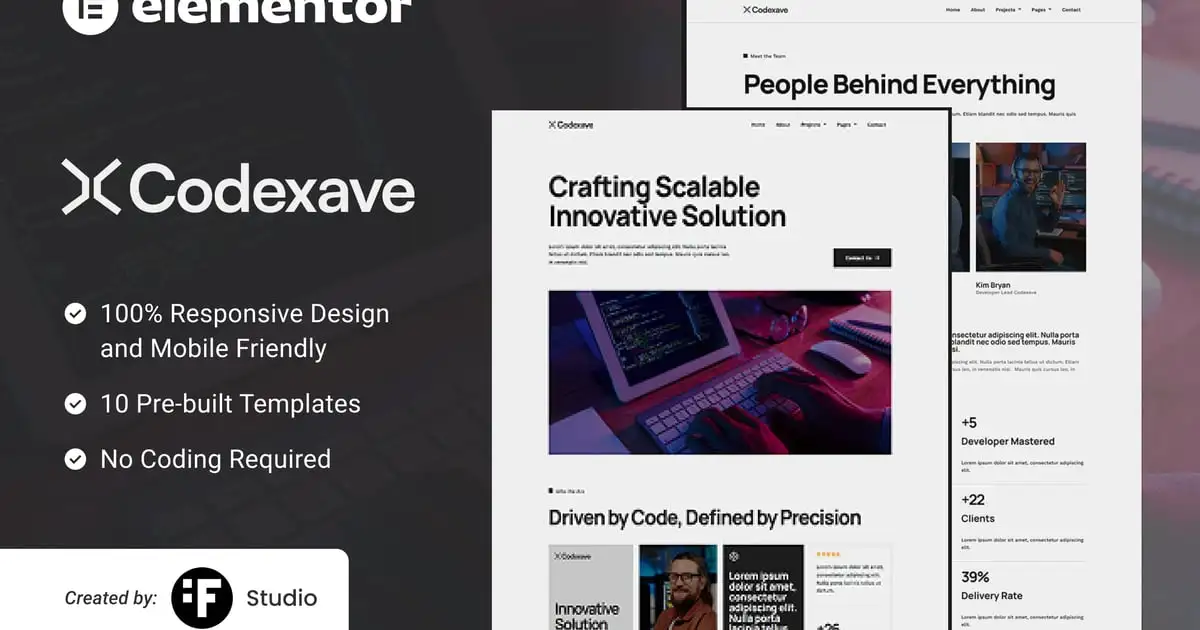
Codexave is an Elementor Template Kit designed for digital solution development services. Built entirely using the free version of Elementor, Codexave is perfect for building modern websites with ease—no need for Elementor Pro.
### Included Templates
- Home
- About
- Projects
- Services
- Blog
- Contact
- Project Detail
- Single Blog
- Process
- 404 Page
### Plugin Dependencies
- Elementor
- Jeg Elementor Kit
- ElementsKit
- Metform
- Ultimate Addons Lite
### Fonts Used
- Manrope
- Work Sans
### How to Use Template Kit
- Install and activate the “Envato Elements” plugin from Plugins > Add New in WordPress.
- Download your kit file and do not unzip.
- Go to Elements > Installed Kits and click the Upload Template Kit button.
- Click Install Requirements if the orange banner appears.
- Click import on the Global Kit Styles first.
- Click import on one template at a time under Templates > Saved Templates.
- Go to Pages and create a new page, then click Edit with Elementor.
- Click the gear icon on the lower-left, set layout to Elementor Full Width and hide the page title.
- Click the gray folder icon, go to the My Templates tab, and import the desired page.
If you have Elementor Pro, headers and footers can be customized via the Theme Builder.
### How to Import Metform and Content Blocks
- Import the Metform template.
- Import the page template where the form appears and edit it in Elementor.
- Activate the Hello Elementor theme under Appearance > Themes.
- Click the Metform widget, then click Edit Form.
- Select New, then click Edit Form.
- Click the gray folder button to Add Template.
- Go to the My Templates tab and insert your imported form template.
- Once loaded, click Update.
Setup Global Header and Footer in UAE
If you have Elementor Pro, setup headers and footers in Theme Builder. Pages you create with Elementor must have the Page Layout set to Elementor Full width for the global header and footer to appear.
- Go to UAE > Header Footer and click Add New button
- Give it a title and select Header, Display on Entire Website and click Publish
- Click Edit with Elementor
- Click the gray folder icon to access My Templates tab and select the header template to import and Update.
5 Repeat for Footer
### Demo Images
This Template Kit uses demo images from Envato Elements. You will need to license these images or replace them with your own.
- https://elements.envato.com/collections/2BP9CJQUTD
Có thể bạn quan tâm
Thông tin thanh toán


Đăng ký theo dõi
Đăng nhập
Cũ hơn