Back to products
Advanced Custom Fields for WooCommerce Original price was: 100.000₫.80.000₫Current price is: 80.000₫.
Description
Description
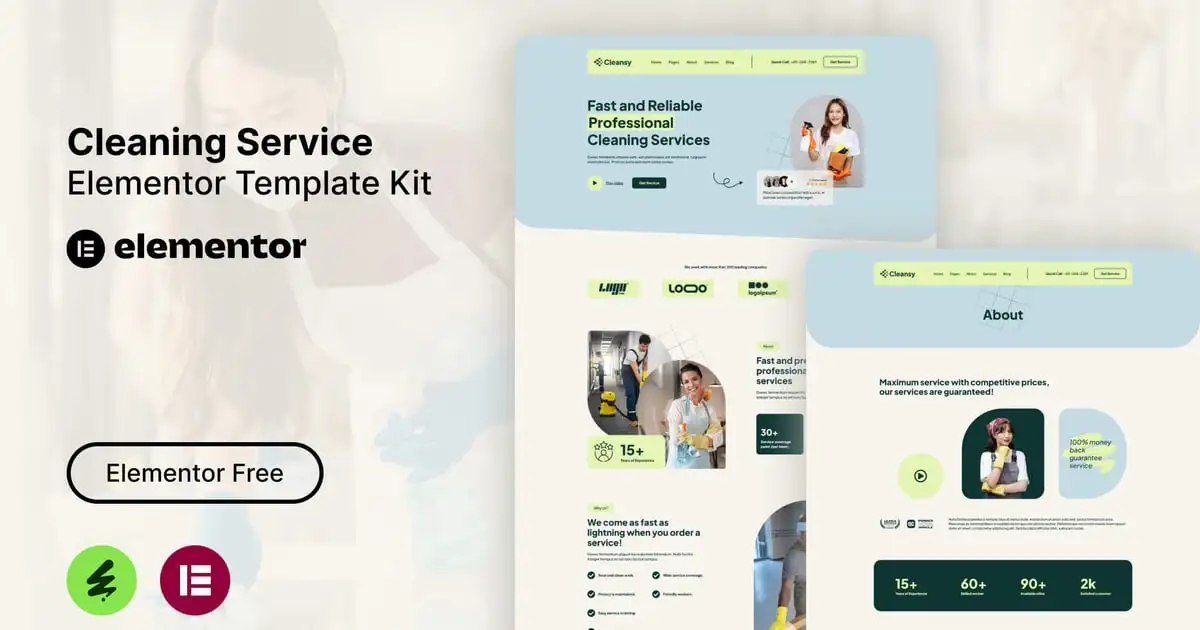
Cleansy – Cleaning Service Elementor Template Kit. This template kit is a fully responsive, clean and customizable. This template is suitable for use in businesses, such as: Cleaning Business, Cleaning Startup, Cleaning Services, Housekeeping and others.
This is not a WordPress theme. Elementor Kit contains page content for Elementor page builder. This kit has been optimized for use with the free Hello Elementor theme but may be used with most themes that support Elementor.
Kit Features:
- Using Free Plugins (Elementor Pro is not required)
- Modern & Clean Design
- Responsive Layout
- Customizable
- No Coding Required
Ready Templates:
- Header
- Footer
- Contact Form
- Newsletter Form
- Home
- About
- Services
- Pricing
- Team
- Gallery
- Blog
- Single Blog
- Contact
Required Plugins:
- Elementor
- The Plus Addons for Elementor
- Ultimate Addons for Elementor – Lite
- MetForm
How to Use Template Kits:
This is not a WordPress Theme. Template kits contain the design data for Elementor only and are installed using the envato Elements plugin for WordPress or directly through Elementor.
Elementor Template Kits use the Envato Elements plugin to install.
Detailed Guide:
https://help.market.envato.com/hc/en-us/articles/36033428836889-How-to-Upload-Install-Elementor-Template-Kits-from-Themeforest-to-WordPress
For further support, go to Elementor > Get Help in WordPress menu.
How to use Metform:
- Import metform template.
- Import the template where the form appears, then edit in Elementor.
- Click the Metform widget in the column where the form should be and click Edit Form.
- Select New, leave blank selected then click Edit Form button.
- Click ‘Add Template’ grey folder button.
- Click ‘My Templates’ tab.
- Choose your imported metform template, then click ‘Insert’.
- Once the template is loaded, click ‘Update’.
For further support, go to Elementor > Get Help in WordPress menu.
Setup Global Header and Footer in UAE
If you have Elementor Pro, setup headers and footers in Theme Builder. Pages you create with Elementor must have the Page Layout set to Elementor Full width for the global header and footer to appear.
- Go to UAE > Header Footer and click Add New button
- Give it a title and select Header, Display on Entire Website and click Publish
- Click Edit with Elementor
- Click the gray folder icon to access My Templates tab and select the header template to import and Update.
5 Repeat for Footer
Images
This Template Kit uses demo images from Envato Elements. You will need to license these images from Envato Elements to use them on your website, or you can substitute them with your own.
- https://elements.envato.com/collections/WH3X2NYCT7
Có thể bạn quan tâm


Thông tin thanh toán


Đăng ký theo dõi
Đăng nhập
Cũ hơn