
Description
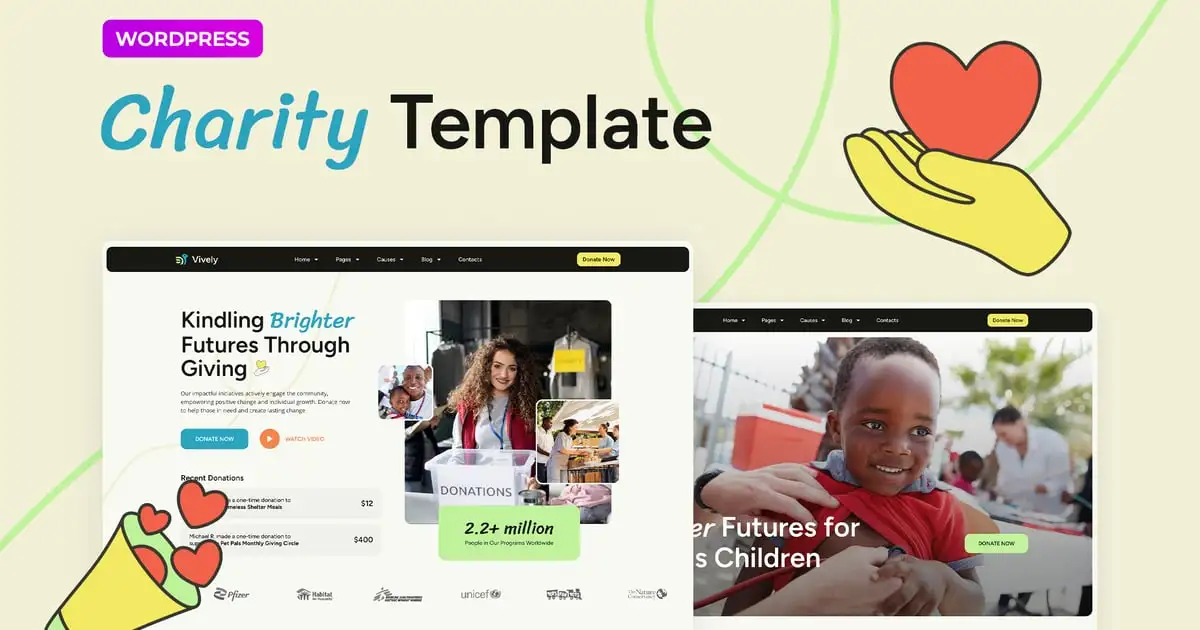
Charity & Donation Template designed exclusively for non-profits, charities, and socially conscious projects striving to amplify their reach. This Elementor Template Kit boasts a dynamic suite of pages, including 3 visually striking home page designs, 3 focused cause pages, and in-depth sections for events and donations. Vively offers an all-encompassing digital solution to powerfully express your mission.
This is a Template Kit that includes page content for the Elementor page builder, rather than a WordPress theme. Although it has been designed to work seamlessly with the Hello Elementor theme, it can also be used with other themes that are compatible with Elementor.
Pages
- Home
- Home 2
- Home 3
- About
- Archive
- Cause Details
- Causes
- Causes 2
- Causes 3
- Contacts
- Donation
- Event Details
- Events
- Faq
- Search Results
- Single Post 1
- Single Post 2
- Volunteers
- Error 404
Sections
- Header
- Footer
- Burger Menu
Features
- Global Theme Styles included
- 23 Elementor Templates
- Unique fun lottie animated graphics
- 100% Fluid Responsive
- Clean and Simple Style
- Easy to Use and Customize
- All major browsers supported: Chrome, Firefox, Safari, Edge, Opera
- Free Google Fonts Used
- Tested in Color Blindness Simulator
- 100% SEO Friendly
- Optimized for Elementor Pro
The template is perfectly organized and structured, making it easy to customize all its parts, change the background and color, and manage global typography.
Required Addons installed with kit:
- Envato Elements
- Premium Addons for Elementor
- Selection Lite
- GiveWP
- Elementor Pro
Elementor Pro upgrade is required for some templates and features (not included)
How to Use Template Kits:
- Install and Activate the “Envato Elements” plugin from Plugins > Add New in WordPress
- Download your kit file and Do not unzip
- Go to Elements > Installed Kits and click the Upload Template Kit button. You may also import automatically by clicking Connect Account to link your Elements subscription, then import under Elements > Template Kits.
- Check for the orange banner at the top and click Install Requirements to load any plugins the kit uses
- Click import on the Global Kit Styles first
- Click Import on one template at a time. These are stored in Elementor under Templates > Saved Templates.
- Go to Pages and create a new page and click Edit with Elementor
- Click the gear icon at lower-left of the builder to view page settings and choose Elementor Full Width and hide page title
- Click the gray folder icon to access My Templates tab and then Import the page you’d like to customize.
If you have Elementor Pro, headers and footers may be customized under Theme Builder.
Detailed Guide:https://help.elements.envato.com/hc/en-us/articles/36032349441945-How-to-Install-Elementor-Template-Kits-With-the-Envato-Elements-Plugin-in-WordPress-for-Envato-Elements-Subscribers
For further support, go to Elementor > Get Help in WordPress menu.
Sources
This Template Kit uses demo images from Envato Elements: You will need to license these images from Envato Elements to use them on your website, or you can substitute them with your own. Blog Content is not included you will need to add a few posts to WordPress before post content will appear in templates.
Envato Elements Collection: https://elements.envato.com/collections/CHJUMLF49X