
Description
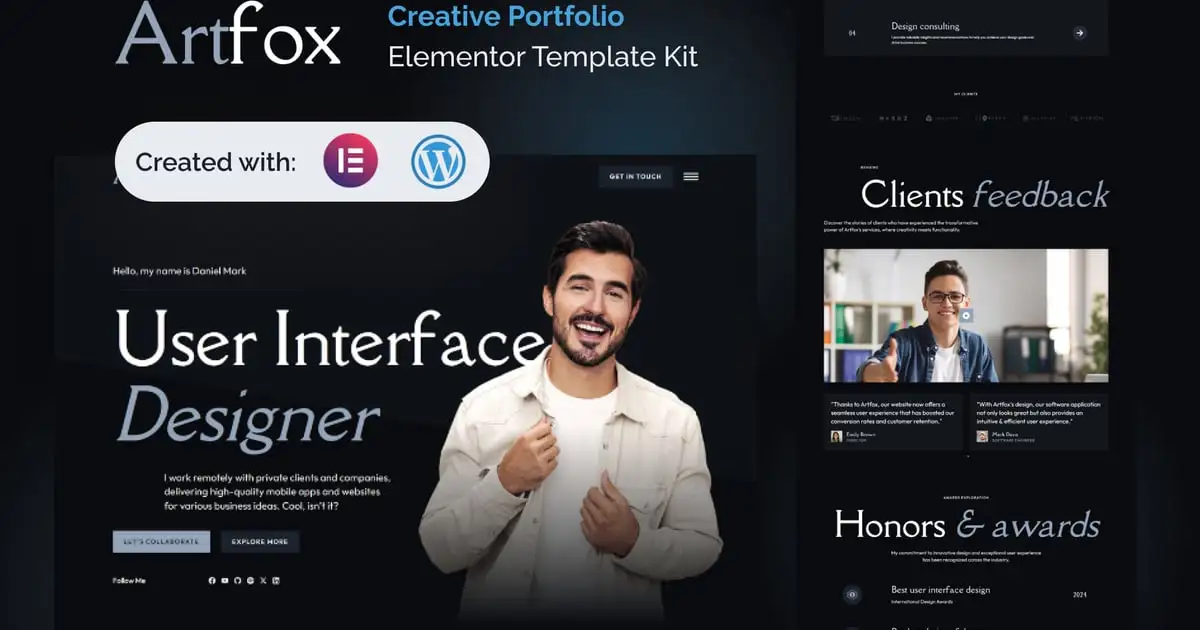
Artfox is a Creative Portfolio Elementor Pro Template Kit for Elementor and WordPress enthusiasts.
Designed with Elegant and Responsive Layouts for Stunning Portfolios, Artfox offers a seamless blend of style and functionality. This makes it the perfect choice for artists, designers, photographers, and creatives who want to showcase their work with sophistication and flair.
Artfox includes 18+ fully customizable templates, allowing you to effortlessly create unique creative expressions that truly reflect your vision. Each template is thoughtfully designed to highlight your projects, ensuring your portfolio stands out in a crowded digital space. Whether you’re a seasoned professional or just starting out, Artfox provides the flexibility and tools you need to create a stunning portfolio.
One of the standout features of Artfox is its integration with Elementor. Known for its fast and intuitive drag & drop customization, Elementor enables you to easily build and personalize your site without any coding knowledge. This ensures that you can focus on what you do best—creating beautiful and compelling content—while enjoying a smooth and efficient design process.
Choose Artfox to elevate your online presence and leave a lasting impression on your audience. With its combination of elegant design, responsive layouts, and user-friendly customization options, Artfox empowers you to showcase your creative work in the best possible light. Transform your portfolio into a visual masterpiece with Artfox and make your mark in the creative industry.
Suitable For:
- Freelancer Portfolio
- Creative Agency
- Designer Portfolio
Features:
- Unique & Clean Design
- Modern design based on design system
- 18+ Ready to use pages
- Unlimited colors
- More than 900 ready fonts
- Fully Responsive Layout
- Fully Customizable
- Click to Go To Top
- Sticky Header
- Cross Browser Compatibility: Chrome, Firefox, Safari, Opera
Templates Include:
- Global Theme Style
- Design Guideline
- Homepage
- About Me
- My Blog
- Coming Soon
- Contact
- Process
- FAQ
- Review
- Pricing
- Solutions
- Work
- Services
- Single Post
- Post Archive
- 404
- Off Canvas
- Header
- Footer
Elementor Pro upgrade is required for some templates and features (not included)
** How to Use Template Kits: **
This is not a WordPress Theme. Template kits contain the design data for Elementor only and are installed using the envato Elements plugin for WordPress or directly through Elementor.
- Download your kit file from Envato and do not unzip it. If you use Safari browser you may need to ensure “Open safe files after downloading” is disabled in the browser preferences.
- Go to Settings > Permalinks and ensure Post Name is selected
- Go to Appearance > Themes > Add New and ensure Hello Elementor is installed and activated. This will prompt you to install Elementor if you haven’t already.
- Go to Plugins and ensure Elementor and Envato Elements are installed and at the latest version. If your kit requires Elementor Pro, it must be installed now and connected to your account.
- If you already had Elementor active, go to Elementor > Settings, click Features and ensure Flexbox Container is Active.
- Go to Elements > Installed Kits and click Upload Template Kit Zip (or click your kit to view it)
- Check for the orange banner at the top and click Install Requirements to load any plugins the kit uses. https://envato.d.pr/ughD8Q
- Click import on the Global Kit Styles first. This will setup the site settings.
- Click Import on one template at a time in the order shown. These are stored in Elementor under Templates > Saved Templates and should not be edited directly.
Creating pages
- Go to Pages and create a new page and click Edit with Elementor
- Click the gear icon at lower-left of the builder to view page settings and choose Elementor Full Width and hide page title
- Click the gray folder icon to access My Templates tab and then Import the page you’d like to customize.
- The home page is set under Settings > Reading by selecting Static Front Page.
If you have Elementor Pro, headers and footers are customized under Templates > Theme Builder.
Detailed Guide: https://help.market.envato.com/hc/en-us/articles/900000842846-How-to-use-the-Envato-Elements-WordPress-Plugin-v2-0
For further support, go to Elementor > Get Help in WordPress menu.
IMPORTANT:
This Template Kit uses demo images from Envato Elements. You will need to license these images from Envato Elements to use them on your website, or you can substitute them with your own.
https://elements.envato.com/collections/3GHYXARVKW