
Description
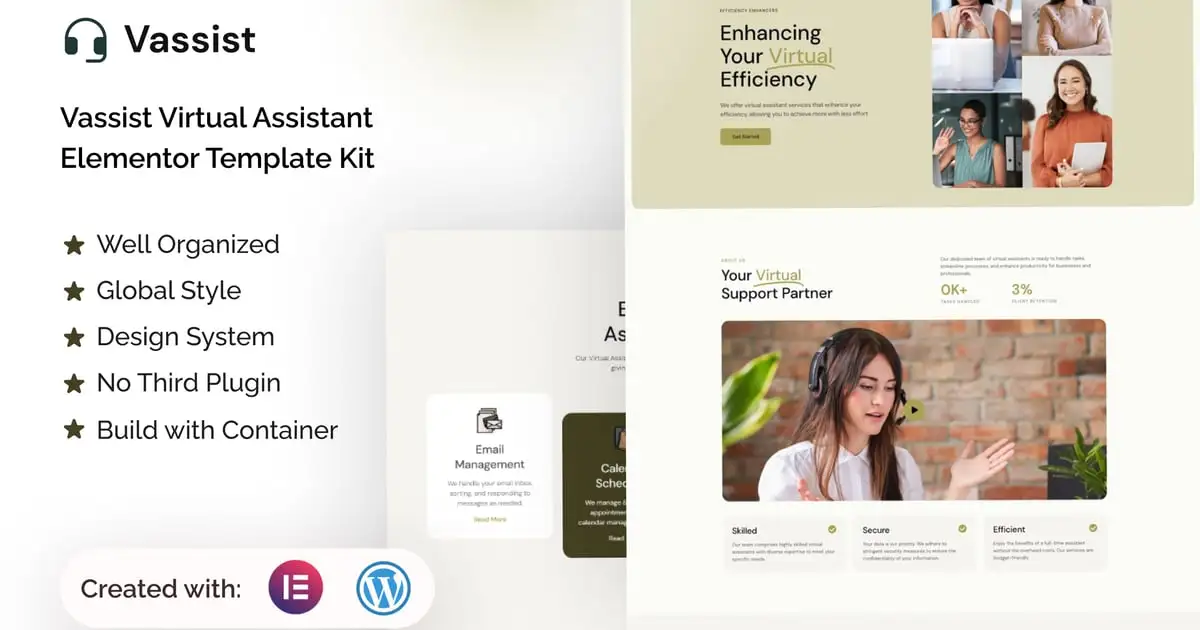
Vassist Virtual is an Elementor Pro Template Kit designed to showcase your expertise and attract clients. Immerse yourself in a world of modern minimalism, where clean lines and ample white space create a tranquil canvas for your brand to shine. Whether you’re a solopreneur or a bustling agency, Vassist Virtual provides the perfect foundation to build a website that is as efficient and organized as your services.
Why Elementor and WordPress? This dynamic duo empowers you to build without boundaries.
Leverage Elementor’s intuitive drag-and-drop interface to craft a website that perfectly reflects your vision, without ever touching a line of code. And with the vast WordPress ecosystem at your fingertips, the possibilities for customization are endless. Vassist Virtual harnesses the full potential of this winning combination, giving you the tools to create a website that’s not just aesthetically stunning, but also a powerful lead generation machine.
Think spacious layouts, crisp typography, and subtle pops of color that inspire trust and confidence. These templates are perfect for showcasing your skills and experience, highlighting your service packages, and building lasting relationships with your clients.
What’s included? Vassist Virtual offers a treasure trove of pre-designed pages, from captivating homepages and service overviews to client testimonial sections and contact forms. Each template is fully customizable, allowing you to inject your unique personality and tailor the functionality to your specific needs. No matter your technical expertise,
Vassist Virtual empowers you to bring your vision to life with stunning results.
Features:
- Unique & Clean Design
- Modern design based on design system
- 20 Ready to use pages
- Unlimited colors
- More than 900 ready fonts
- Fully Responsive Layout
- Fully Customizable
- Click to Go To Top
- Sticky Header
- Cross Browser Compatibility: Chrome, Firefox, Safari, Opera
Templates Include:
- Global Theme Style
- FAQ
- Design Guideline
- Header
- Footer
- 404
- Post Archive
- Single Post
- Off Canvas
- Search
- Homepage
- Career
- About Us
- Services
- Our Team
- Success Stories
- Contact Us
- Our Blog
- Assistant
- Pricing
- Elementor Pro upgrade is required for some templates and features (not included)
How to Use Template Kits:
This is not a WordPress Theme. Template kits contain the design data for Elementor only and are installed using the envato Elements plugin for WordPress or directly through Elementor.
- Download your kit file from Envato and do not unzip it. If you use Safari browser you may need to ensure “Open safe files after downloading” is disabled in the browser preferences.
- Go to Settings > Permalinks and ensure Post Name is selected
- Go to Appearance > Themes > Add New and ensure Hello Elementor is installed and activated. This will prompt you to install Elementor if you haven’t already.
- Go to Plugins and ensure Elementor and Envato Elements are installed and at the latest version. If your kit requires Elementor Pro, it must be installed now and connected to your account.
- Elementor > Settings > Features Tab > Flexbox Container > Activate then press Save Changes button
- Go to Elements > Installed Kits and click Upload Template Kit Zip (or click your kit to view it)
- Check for the orange banner at the top and click Install Requirements to load any plugins the kit uses. https://envato.d.pr/ughD8Q
- Click import on the Global Kit Styles first. This will setup the site settings.
- Click Import on one template at a time in the order shown. These are stored in Elementor under Templates > Saved Templates and are re-used from here.
Creating pages
- Go to Pages and create a new page and click Edit with Elementor
- Click the gear icon at lower-left of the builder to view page settings and choose Elementor Full Width and hide page title
- Click the gray folder icon to access My Templates tab and then Import the page you’d like to customize.
- The home page is set under Settings > Reading by selecting Static Front Page.
If you have Elementor Pro, headers and footers are customized under Templates > Theme Builder.
Detailed Guide: https://help.market.envato.com/hc/en-us/articles/900000842846-How-to-use-the-Envato-Elements-WordPress-Plugin-v2-0
For further support, go to Elementor > Get Help in WordPress menu.
IMPORTANT:
This Template Kit uses demo images from Envato Elements. You will need to license these images from Envato Elements to use them on your website, or you can substitute them with your own.
https://elements.envato.com/collections/R2P795ZMLX