Back to products
Advanced Custom Fields for WooCommerce Original price was: 100.000₫.80.000₫Current price is: 80.000₫.

Description
Description
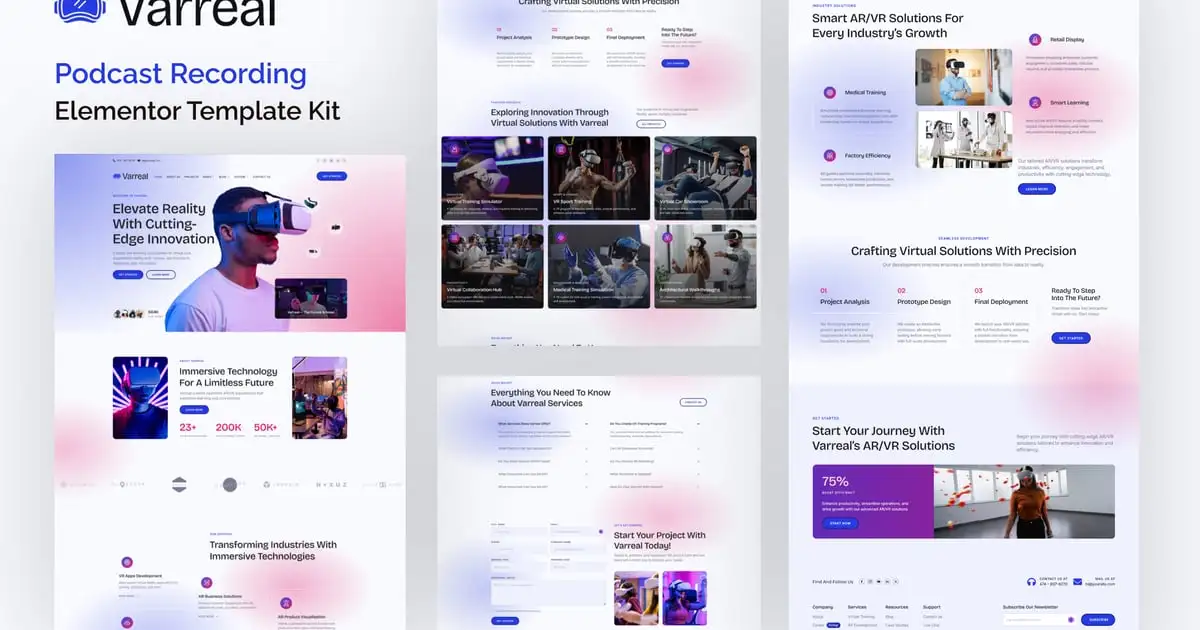
Introducing “Unwind” – an Elementor Template Kit for Psychologists, Therapists & Mental Health Professionals in the WordPress Universe!
Unlock the potential of your practice with the Unwind Elementor Template Kit, designed to create a safe, calm, and professional online space for your clients. Powered by the duo of Elementor and WordPress, this template kit is your ticket to building a trustworthy website that reflects the compassion and professionalism of your mental health services.
Whether you’re a solo psychologist, a multi-therapist counseling center, or a mental health advocate, Unwind is tailored to create a serene digital environment. Crafted with precision, our 22+ meticulously designed templates cater to every aspect of your practice, from detailed service pages explaining your therapeutic approach to a calming blog for sharing insights. With its Unique & Clean Design, your message of support and healing will always be clear.
With Unwind, you can ensure a comfortable Browse experience for your visitors with Click to Go To Top navigation, guarantee accessibility on any device with a Fully Responsive Layout, and maintain a cohesive and trustworthy brand with a modern design based on a design system. Being fully customizable with unlimited colors and more than 900 ready fonts, you can create a space that truly represents your practice.
Harness the power of Unwind to reach those in need, provide essential information, and create a welcoming first point of contact. Elevate your practice and build trust with your audience effortlessly, all while enjoying the convenience of Elementor’s user-friendly interface. Unwind: Your space to heal, online. Get started today and extend your compassionate care to the digital world.
Suitable For:
- Private Practice Psychologists & Therapists
- Mental Health Clinics & Institutions
- Mental Health Advocates & Bloggers
Features:
- Unique & Clean Design
- Modern design based on design system
- 22+ Ready to use pages
- Unlimited colors
- More than 900 ready fonts
- Fully Responsive Layout
- Fully Customizable
- Click to Go To Top
- Cross Browser Compatibility: Chrome, Firefox, Safari, Opera
Templates Include:
- Global Theme Style
- Design Guideline
- Homepage
- About Us
- Subscribe Single Post Form
- Experience Form
- Contact Us Form
- Single Post
- Contact Us
- Training
- Coming Soon
- Error
- Our Blog
- Locations
- Health Club
- Appointment
- Reviews
- FAQs
- Career
- Therapists
- Services
- Subscription Form
- Contact Form
- Footer
- Header
Required Plugin(included):
- Elementor
- The Plus Add-on
- ElementsKit Lite
- Gum Elementor Kit
- Metform
How to Use Template Kits:
This is not a WordPress Theme. Template kits contain the design data for Elementor only and are installed using the envato Elements plugin for WordPress or directly through Elementor.
Elementor Template Kits use the Envato Elements plugin to install.
Detailed Guide:
https://help.market.envato.com/hc/en-us/articles/36033428836889-How-to-Upload-Install-Elementor-Template-Kits-from-Themeforest-to-WordPress
https://help.elements.envato.com/hc/en-us/articles/36032349441945-How-to-Install-Elementor-Template-Kits-With-the-Envato-Elements-Plugin-in-WordPress-for-Envato-Elements-Subscribers
For further support, go to Elementor > Get Help in WordPress menu.
How to Import MetForm Custom Form:
- While edititing a page where a form should appear, open the Elementor navigator to locate the Metform widget.
- Click Edit Form in the builder panel.
- Select New, leave blank selected then click Edit Form button.
- Click ‘Add Template’ grey folder button.
- Click ‘My Templates’ tab.
- Choose your imported MetForm template, then click ‘Insert’.
- Once the template is loaded, click ‘Update’.
Setup Header in ElementsKit Lite
If you have Elementor Pro, setup headers and footers in Theme Builder. Pages you create with Elementor must have the Page Layout set to Elementor Full width for the global header and footer to appear.
- Go to ElementsKit > Header Footer
- If prompted to go through the wizard, click Next all the way through and then return to step 1 (you are not required to enter your email address or share your information)
- Click Add New Template button at the top
- Name your template, then toggle “Activate/Deactivate:” to On
- Click the gray Edit Content button. Elementor will open.
- Click the gray folder icon to access My Templates tab and Insert the header or footer template.
- Customize and Publish
IMPORTANT:
This Template Kit uses demo images from Envato Elements. You will need to license these images from Envato Elements to use them on your website, or you can substitute them with your own.
- https://elements.envato.com/collections/B943NLEMF5
Có thể bạn quan tâm


Thông tin thanh toán


Đăng ký theo dõi
Đăng nhập
Cũ hơn