
Description
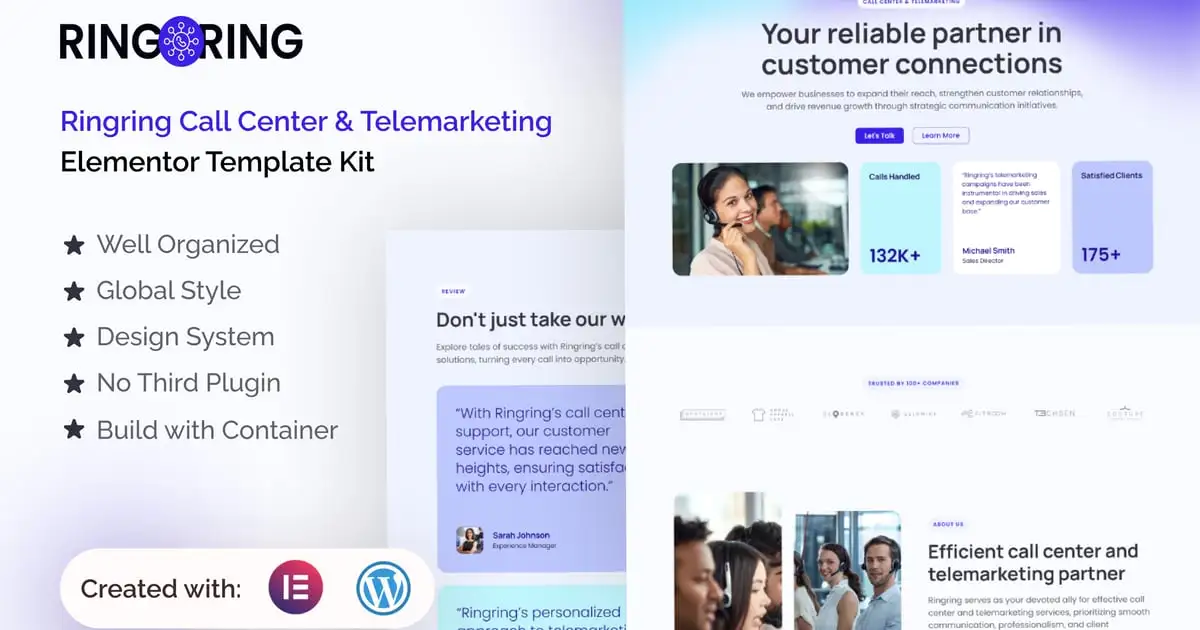
Ringring is an Elementor Pro template kit for creating professionally designed, modern websites in WordPress.
Attract new clients and convert leads effortlessly with Ringring’s modern, minimalist design. Build a captivating website using the intuitive drag-and-drop functionality of Elementor, without any coding required.
Tailored for call centers and telemarketing agencies, Ringring offers a comprehensive library of 19+ pre-designed templates. These templates include key features like service pages, team sections, and clear call-to-action buttons to drive conversions. All within the robust content management system of WordPress, Ringring empowers you to easily manage your website content and keep your audience engaged.
Suitable For:
- Call Center & Telemarketing Agencies
- Conversion-Focused Businesses
- Effortless Website Creation for Busy Professionals
Features:
- Unique & Clean Design
- Modern design based on design system
- 19+ Ready to use pages
- Unlimited colors
- More than 900 ready fonts
- Fully Responsive Layout
- Fully Customizable
- Click to Go To Top
- Sticky Header
- Cross Browser Compatibility: Chrome, Firefox, Safari, Opera
Templates Include:
- Global Theme Style
- Design Guideline
- Homepage
- About Us
- Contact Us
- Career
- Industries
- Use Case
- FAQ
- Our Blog
- Review
- Pricing
- Locations
- Team
- Services
- 404 Page
- Archive
- Single Post
- Off Canvas
- Header
- Footer
- Elementor Pro upgrade is required for some templates and features (not included)
** How to Use Template Kits: **
This is not a WordPress Theme. Template kits contain the design data for Elementor only and are installed using the envato Elements plugin for WordPress or directly through Elementor.
- Download your kit file from Envato and do not unzip it. If you use Safari browser you may need to ensure “Open safe files after downloading” is disabled in the browser preferences.
- Go to Settings > Permalinks and ensure Post Name is selected
- Go to Appearance > Themes > Add New and ensure Hello Elementor is installed and activated. This will prompt you to install Elementor if you haven’t already.
- Go to Plugins and ensure Elementor and Envato Elements are installed and at the latest version. If your kit requires Elementor Pro, it must be installed now and connected to your account.
- Go to Elements > Installed Kits and click Upload Template Kit Zip (or click your kit to view it)
- Check for the orange banner at the top and click Install Requirements to load any plugins the kit uses. https://envato.d.pr/ughD8Q
- Click import on the Global Kit Styles first. This will setup the site settings.
- Click Import on one template at a time in the order shown. These are stored in Elementor under Templates > Saved Templates and are re-used from here.
Creating pages
- Go to Pages and create a new page and click Edit with Elementor
- Click the gear icon at lower-left of the builder to view page settings and choose Elementor Full Width and hide page title
- Click the gray folder icon to access My Templates tab and then Import the page you’d like to customize.
- The home page is set under Settings > Reading by selecting Static Front Page.
If you have Elementor Pro, headers and footers are customized under Templates > Theme Builder.
Detailed Guide: https://help.market.envato.com/hc/en-us/articles/900000842846-How-to-use-the-Envato-Elements-WordPress-Plugin-v2-0
For further support, go to Elementor > Get Help in WordPress menu.
IMPORTANT:
This Template Kit uses demo images from Envato Elements. You will need to license these images from Envato Elements to use them on your website, or you can substitute them with your own.
https://elements.envato.com/collections/JARYNTQ8G6